Polyline Marker
Render a set of lines on the interactive map.
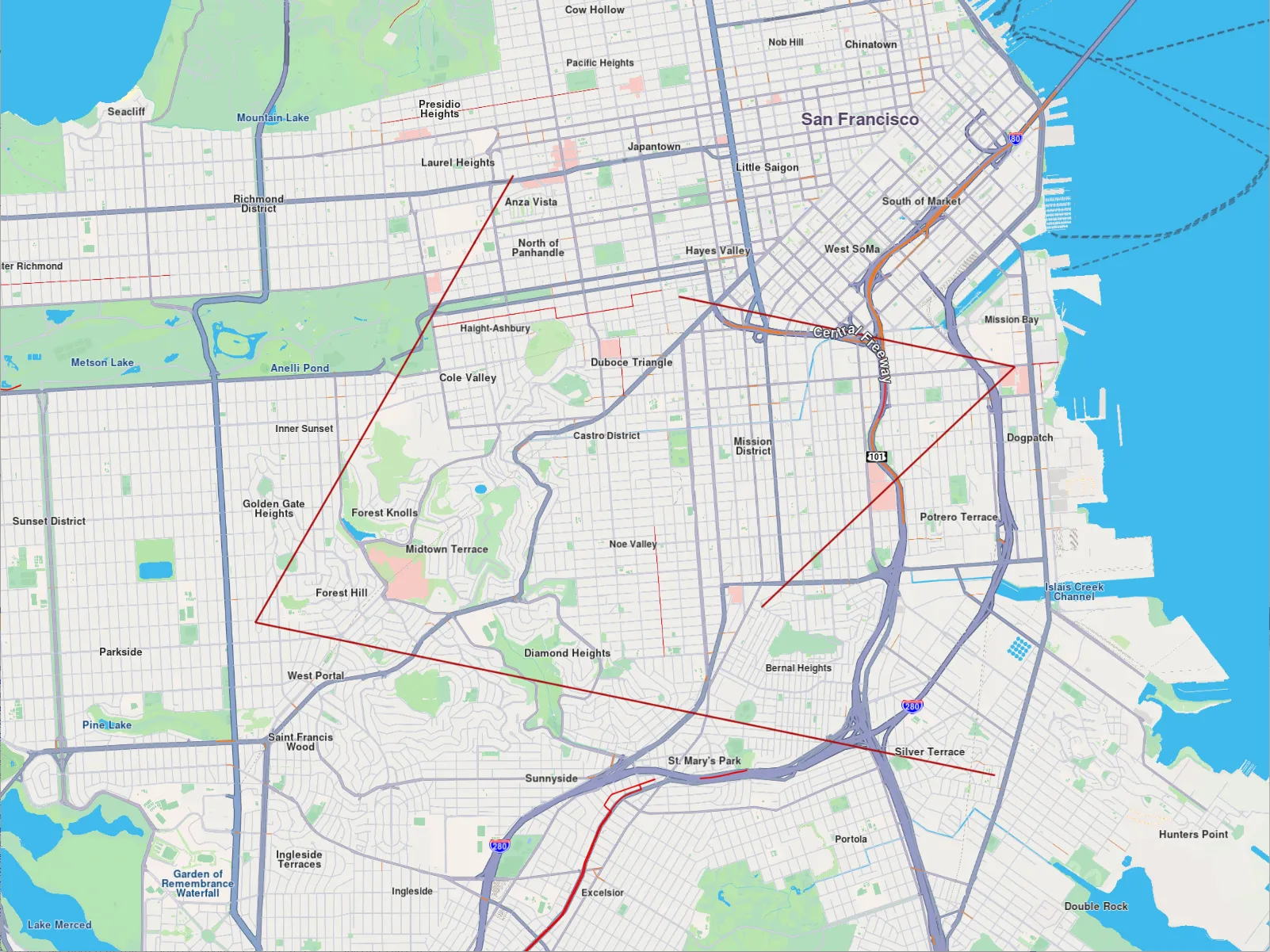
Polyline Marker
Instantiate a gem::MarkerCollection of the gem::EMarkerType::MT_Polyline type and give it a name. Add at least 2 points for each polyline, where each point contains a coordinate - a latitude, and a longitude, in degrees. Each polyline is a gem::Marker that is added to the marker collection. Add the markers to the map using mapView->preferences().markers().add() and then center the map on the rectangle containing all the added points: mapView->centerOnArea(col.getArea()) so they all fit in the viewport.
auto col = gem::MarkerCollection(gem::EMarkerType::MT_Polyline, "test");
col.add(gem::Marker({
   { 37.78301592799968, -122.44509746977026 },
   { 37.744870145184954, -122.47291375685005 },
   { 37.73182234501792, -122.39309744523473 }
}));
col.add(gem::Marker({
   { 37.7727019264254, -122.42707148907742 },
   { 37.76671282078619, -122.39085098046263 },
   { 37.74622717625295, -122.41815611350229 }
}));
mapView->preferences().markers().add(col);
mapView->centerOnArea(col.getArea());