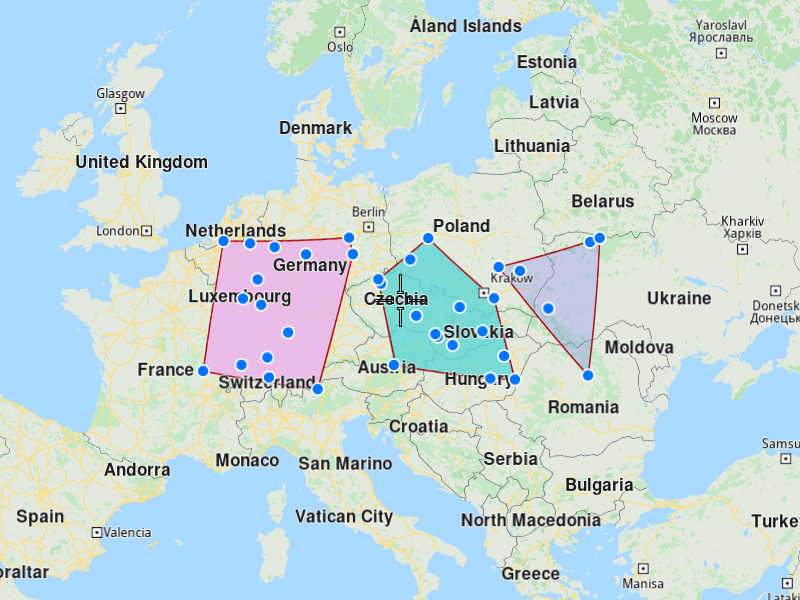
Generate Territories
This example demonstrates how to generate polygon territories from a list of coordinates and display them on a map. The example covers the following features:
- Creating territories from a set of geographic coordinates
- Specifying the number of territories to generate
- Visualizing both the original coordinates and generated territories on a map
- Handling territory generation results
When dealing with many locations to visit, it's often beneficial to first divide them into territories before creating optimizations for customers within each territory.
When you run the example application:
- A list of coordinates is displayed as points on the map
- Territories are generated from these coordinates
- The generated territories are displayed as colored polygons on the map
Create a List of Coordinates
Create a CoordinatesList containing all the geographic points you want to divide into territories:
Initialize Map Components
Set up the map view to display the coordinates:
Display Coordinates on the Map
Create a marker collection to visualize the input coordinates, and display them on the map.
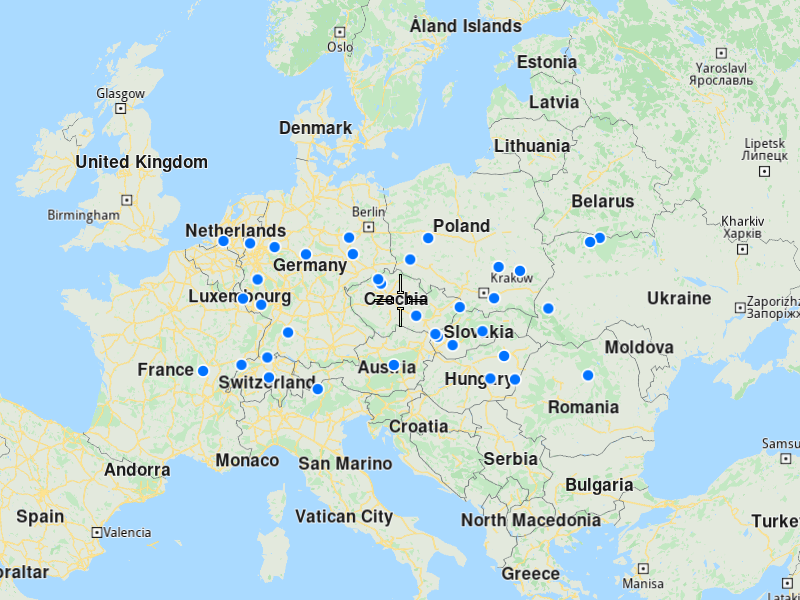
Generate Territories
Use the vrp::Service to generate territories from the coordinates:
To generate one territory, you need at least 3 coordinates. For N territories, you need at least 3×N coordinates.
Display Territories on the Map
Once generated you can diplay them on the map as colored polygons.