Get started with maps
The Maps SDK for Android delivers powerful mapping capabilities, enabling developers to effortlessly integrate dynamic map views into their applications. Core features include embedding and customizing map views, controlling displayed locations, and fine-tuning map properties. At the center of the mapping API is the GEMSurfaceView class, which serves as the primary component for rendering maps and handling user interactions.
Display a map
See the Code Implementation section from Create your first app guide for a complete example of displaying a basic map in your application.
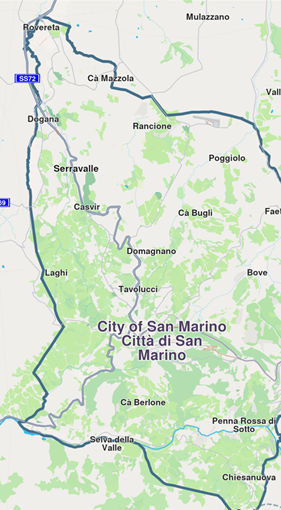
GEMSurfaceView
The GemSurfaceView class is the primary component for displaying maps in an Android application. It extends GLSurfaceView and provides a complete OpenGL rendering surface for map display with built-in touch interaction handling.
Key Features
- Automatic SDK Initialization: If GemSdk isn't initialized, the surface automatically calls
GemSdk.initSdkWithDefaults()when attached to a window - Default MapView Creation: Creates a default
MapViewautomatically unless disabled - Touch Event Handling: Built-in support for pan, zoom, and other map interactions
- Lifecycle Management: Automatic resource management with configurable cleanup behavior
- OpenGL Context Management: Handles EGL context creation and configuration
Properties
| Property | Type | Description |
|---|---|---|
gemGlContext | OpenGLContext? | The OpenGL context created by this surface |
gemScreen | Screen? | The screen object for rendering operations |
mapView | MapView? | The default MapView instance (if auto-creation is enabled) |
hadBeenInitialized | Boolean | Flag indicating if this instance has been initialized |
hadBeenReleased | Boolean | Flag indicating if this instance has been released |
visibilityChangeListener | VisibilityChangeListener? | Listener for visibility change events |
Callback Functions
| Callback | Description |
|---|---|
onInitSdk | Called when the view is about to initialize the SDK. If provided, user is responsible for SDK initialization |
onSdkInitSucceeded | Triggered after successful SDK initialization |
onScreenCreated | Called after the OpenGL screen has been successfully created |
onDefaultMapViewCreated | Triggered after the default MapView has been created |
onPreHandleTouchListener | Called before the screen handles touch events |
onPostHandleTouchListener | Called after the screen handles touch events |
onDrawFrameCustom | Custom drawing operations on the OpenGL thread |
XML Attributes
You can configure GemSurfaceView behavior using XML attributes:
<com.magiclane.sdk.core.GemSurfaceView
    android:layout_width="match_parent"
    android:layout_height="match_parent"
    app:createDefaultMapView="true"
    app:autoReleaseOnDetachedFromWindow="true"
    app:sdkToken="your_sdk_token" />
| Attribute | Type | Default | Description |
|---|---|---|---|
createDefaultMapView | Boolean | true | Whether to automatically create a default MapView |
autoReleaseOnDetachedFromWindow | Boolean | true | Whether to automatically release resources when detached |
sdkToken | String | null | SDK authorization token |
Methods
| Method | Description |
|---|---|
release() | Releases the drawing context and associated resources |
releaseDefaultMapView() | Releases only the default MapView while keeping the surface active |
Usage Example
- Kotlin
- Java
// In your Activity or Fragment
val gemSurfaceView = findViewById<GemSurfaceView>(R.id.gemSurfaceView)

// Configure callbacks
gemSurfaceView.onDefaultMapViewCreated = { mapView ->
    // Configure your map view
    mapView.centerOnCoordinates(coordinates, zoomLevel)
}

gemSurfaceView.onSdkInitSucceeded = {
    // SDK is ready
    Log.d("Map", "SDK initialized successfully")
}

// Add to your layout
parentLayout.addView(gemSurfaceView)
// In your Activity or Fragment
GemSurfaceView gemSurfaceView = findViewById(R.id.gemSurfaceView);

// Configure callbacks
gemSurfaceView.setOnDefaultMapViewCreated(mapView -> {
    // Configure your map view
    mapView.centerOnCoordinates(coordinates, zoomLevel);
});

gemSurfaceView.setOnSdkInitSucceeded(() -> {
    // SDK is ready
    Log.d("Map", "SDK initialized successfully");
});

// Add to your layout
parentLayout.addView(gemSurfaceView);
Programmatic Creation
- Kotlin
- Java
val gemSurfaceView = GemSurfaceView(
    context = this,
    doCreateDefaultMapView = true,
    sdkToken = "your_sdk_token",
    autoReleaseOnDetachedFromWindow = true,
    postLambdasOnMain = true
)
GemSurfaceView gemSurfaceView = new GemSurfaceView(
    this,
    true,  // doCreateDefaultMapView
    "your_sdk_token",
    true,  // autoReleaseOnDetachedFromWindow
    true   // postLambdasOnMain
);