Avoid Geofence Area
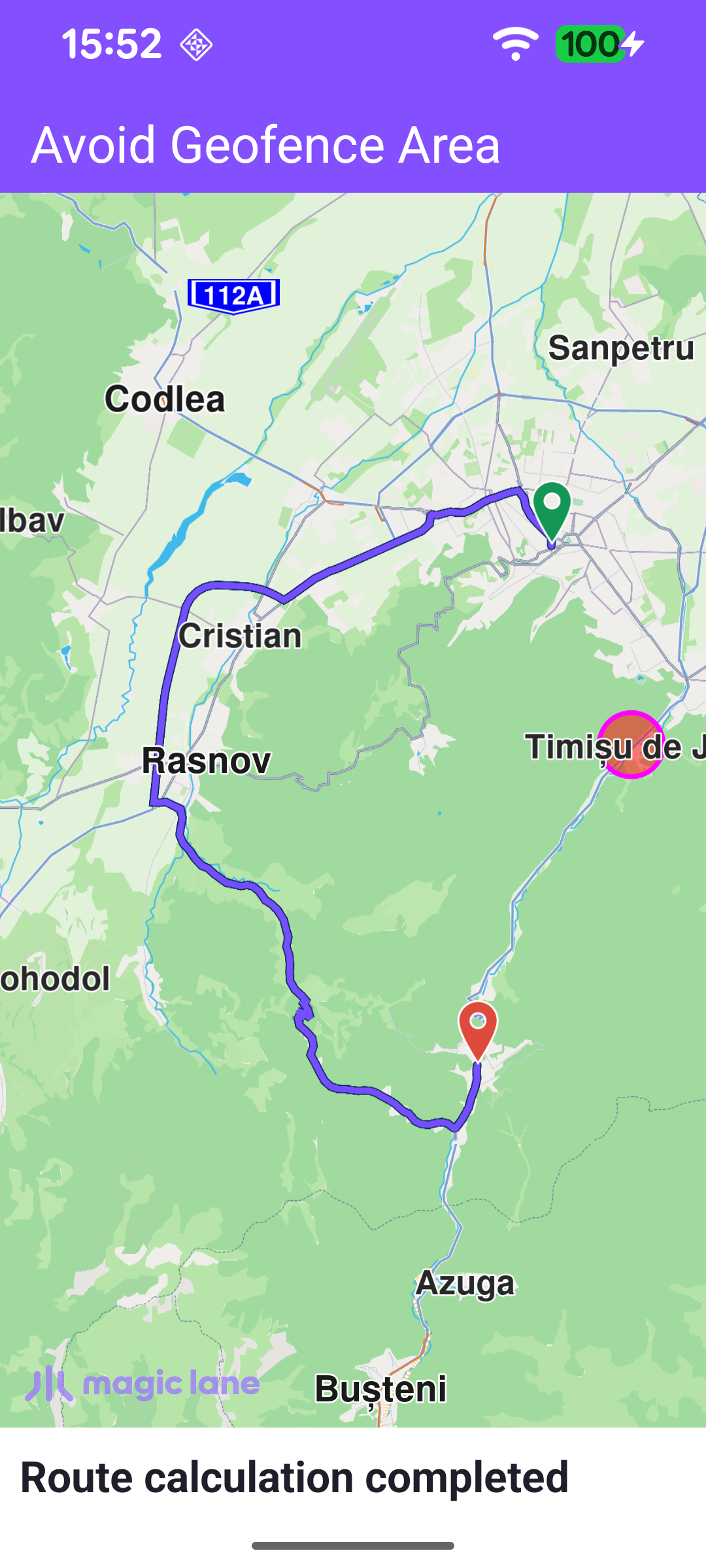
This example computes a route that avoids a geofence area - a named geographic zone the route must not cross. The area is a 1 km circle near Timișu de Jos, drawn on the map as a translucent red polygon, and the route from Brașov to Predeal is forced to detour around it. Geofence areas are stored per user on the Magic Lane server, so the app first signs in with an external login, registers the area, renders it, and only then calculates the route referencing that area by name.
Logging in and registering the geofence area
Geofence areas are associated with a user account, so the app waits for the worldwide road map to be up to date and then performs an external login with Login.registerExternalLogin. When the login completes, the Geofence object is given a single GeofenceArea - a CircleGeographicArea centred near Timișu de Jos with a 1 km radius, tagged with the name "Area to avoid" - via addAreas. Registration is asynchronous and reports back through a ProgressListener.
Showing the area on the map
Once the areas are registered, the addAreasProgressListener renders each circular area as a polygon marker so the avoided zone is visible. A MarkerCollection of type Polygon is configured with a magenta outline and a semi-transparent red fill, a Marker is created at each area's centre point, and the collection is added to the map's marker preferences. Routing is started straight afterwards.
Calculating the route that avoids the area
The route is computed with a RoutingService between Brașov and Predeal. The geofence is applied through the routing preferences: avoidGeofenceAreas is set to the list of area names to avoid - here the single "Area to avoid" tag used when the area was registered. calculateRoute only reports whether the calculation could be started: any such error is shown right away in a dialog, while the actual result arrives later through the service's onCompleted callback.
Presenting the route
The RoutingService is created with onStarted / onCompleted callbacks. onStarted shows a "calculating route" status message; onCompleted reports any error in a dialog, and on success presents the first returned route on the map with presentRoute, insetting the visible area so the whole route - and the geofence circle it skirts - stays clear of the toolbar and status panel.