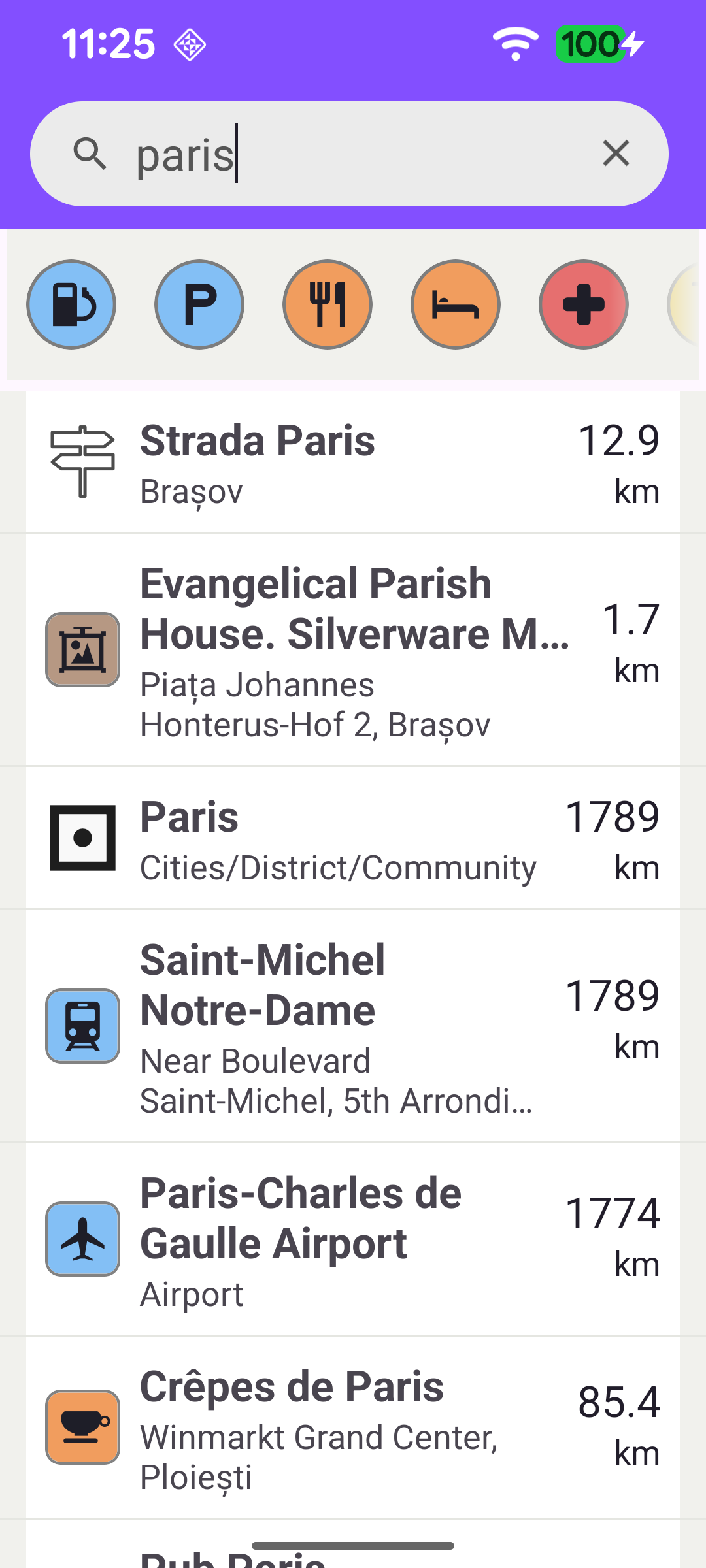
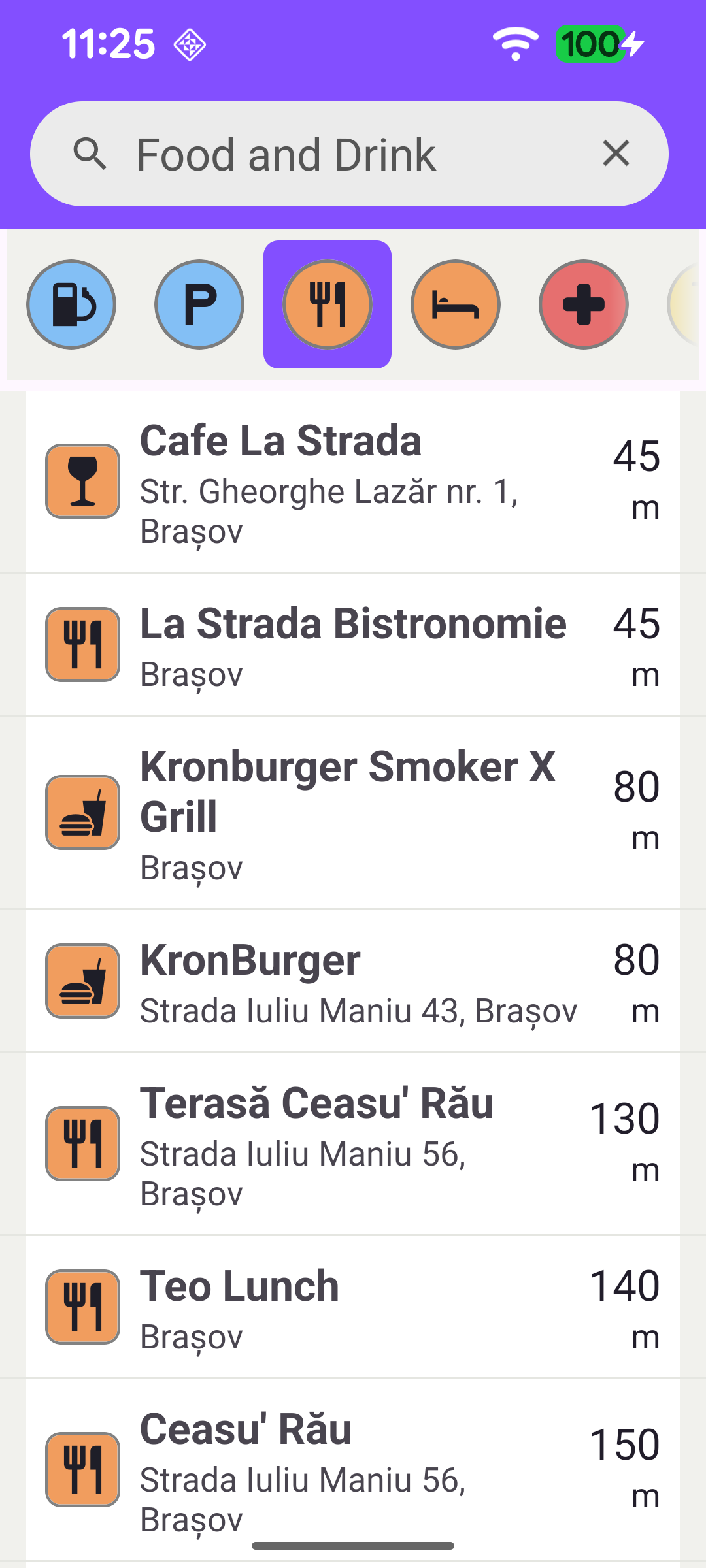
This example demonstrates two complementary ways to find places and present them in a list. The user can run a free text search by typing a query (search-as-you-type), or run a POI category search by tapping one of the category chips above the list. Each result shows the place name, a short description and its distance from a reference point - the user's current location when available, or the center of London otherwise.
The example follows an MVVM structure: MainActivity is a thin UI layer that binds the views and reacts to SDK lifecycle events, while SearchViewModel holds the search state and logic so it survives configuration changes.
SearchViewModel retains a single SearchService instance and exposes the screen state as LiveData: the result list, the available POI categories, the currently selected category and an isSearching flag that drives the progress bar. Results are modelled as a small SearchItem data class holding only the information shown in the list.
In the view model, search() debounces rapid keystrokes and cancels any in-flight search before starting a new one. It then calls searchService.searchByFilter(textFilter, reference, onCompleted). The reference point is the current GPS position (falling back to a fixed location in London when none is available); it is used to compute each result's distance and influences the relevance ordering of the results. Address search is enabled and any category filter left over from a previous category search is cleared, so a text query matches both addresses and POIs.
Once the map data is ready, the activity calls viewModel.loadCategories(). The generic POI categories are read from GenericCategories().categories and mapped to CategoryItems (name, icon and the store/category ids needed to filter the search). The list is published on the categoriesLiveData and rendered as the horizontal chip bar.
Tapping a chip calls selectCategory(index). Instead of a text query, the search is constrained to the chosen category: address search is disabled, the category filter is applied to the search preferences with landmarkStores?.addStoreCategoryId(...), and the places are retrieved with searchService.searchAroundPosition(reference, onCompleted). The selected chip name is also written back into the search field so the UI reflects the active category.
Both search paths complete by mapping the returned Landmarks into SearchItems. For each landmark the distance to the reference point is computed with landmark.coordinates?.getDistance(reference) and formatted into a value/unit pair, while the icon, name and description are taken from the landmark itself.
The activity observes the resultsLiveData and submits the items to the list adapter, scrolling back to the top. The "no results" message is shown when a search returns nothing - that is, when the list is empty and there is an active query or selected category (so it does not appear when the search field is simply empty). The isSearching flag drives the progress bar, and the categories / selectedCategoryLiveData keep the chip bar in sync.