Import GeoJSON Markers

Last updated: June 19, 2026 | 5 minutes read

This example demonstrates how to import markers from a GeoJSON file and display them on the map as a clustered marker collection. A campsites.geojson asset is read at startup and added to the map as a marker collection, using a custom tent icon for each campsite and a red circle with a count for clustered groups. Tapping a cluster opens a panel listing every campsite it contains; tapping a single marker highlights it on the map and centers the camera on it. When a campsite's details are present in the GeoJSON file, the list item exposes an info button that opens a bottom sheet with its photo and description; campsites without these details simply omit the button.
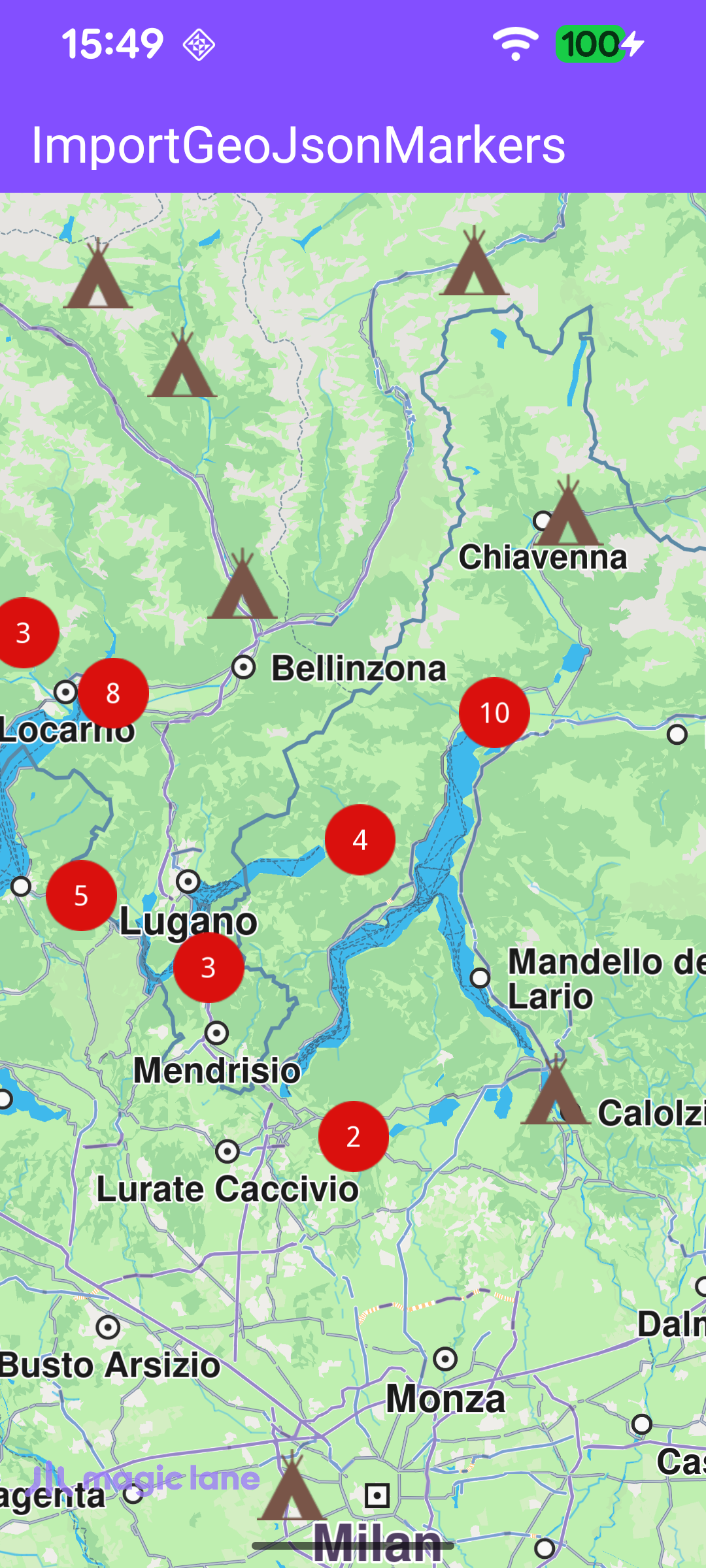
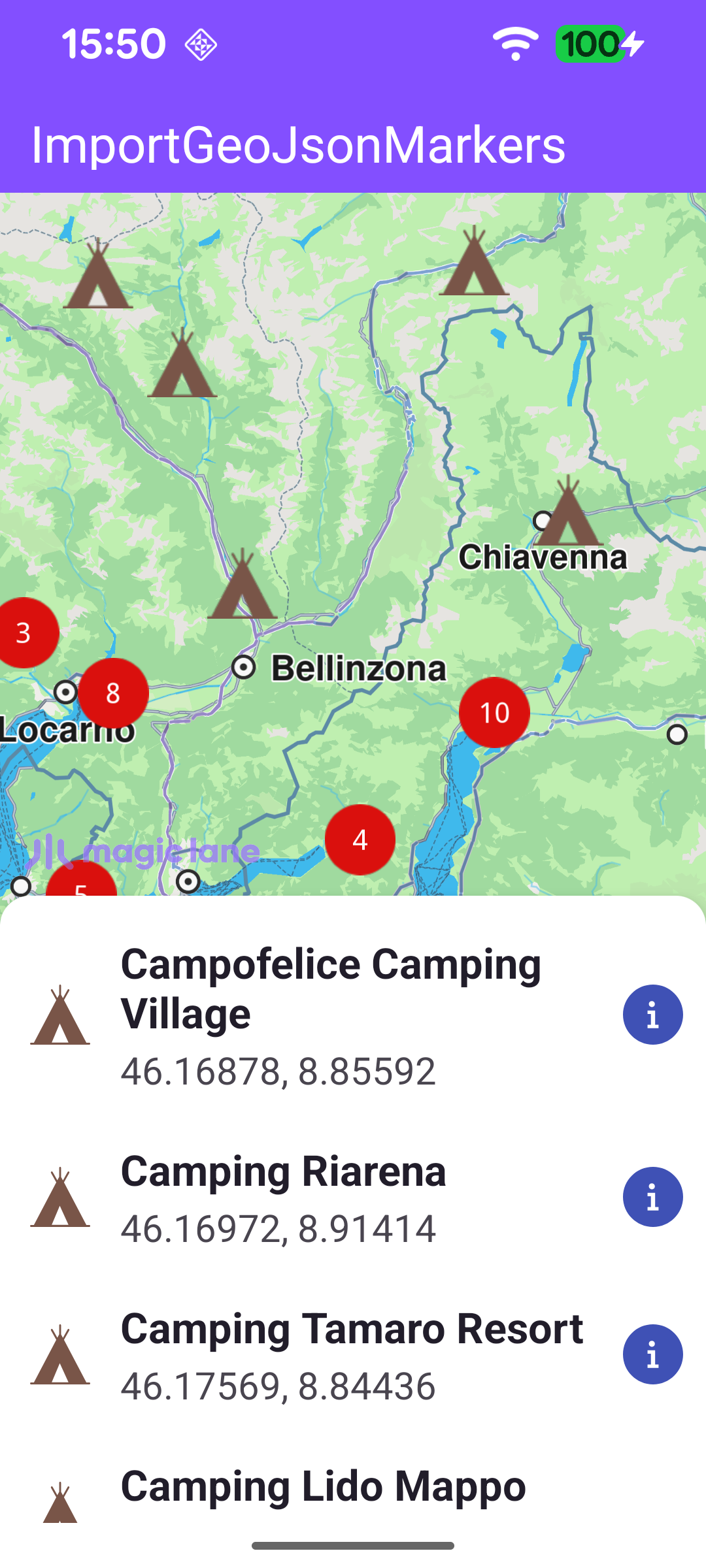
Campsites imported from GeoJSON, shown as clustered markers
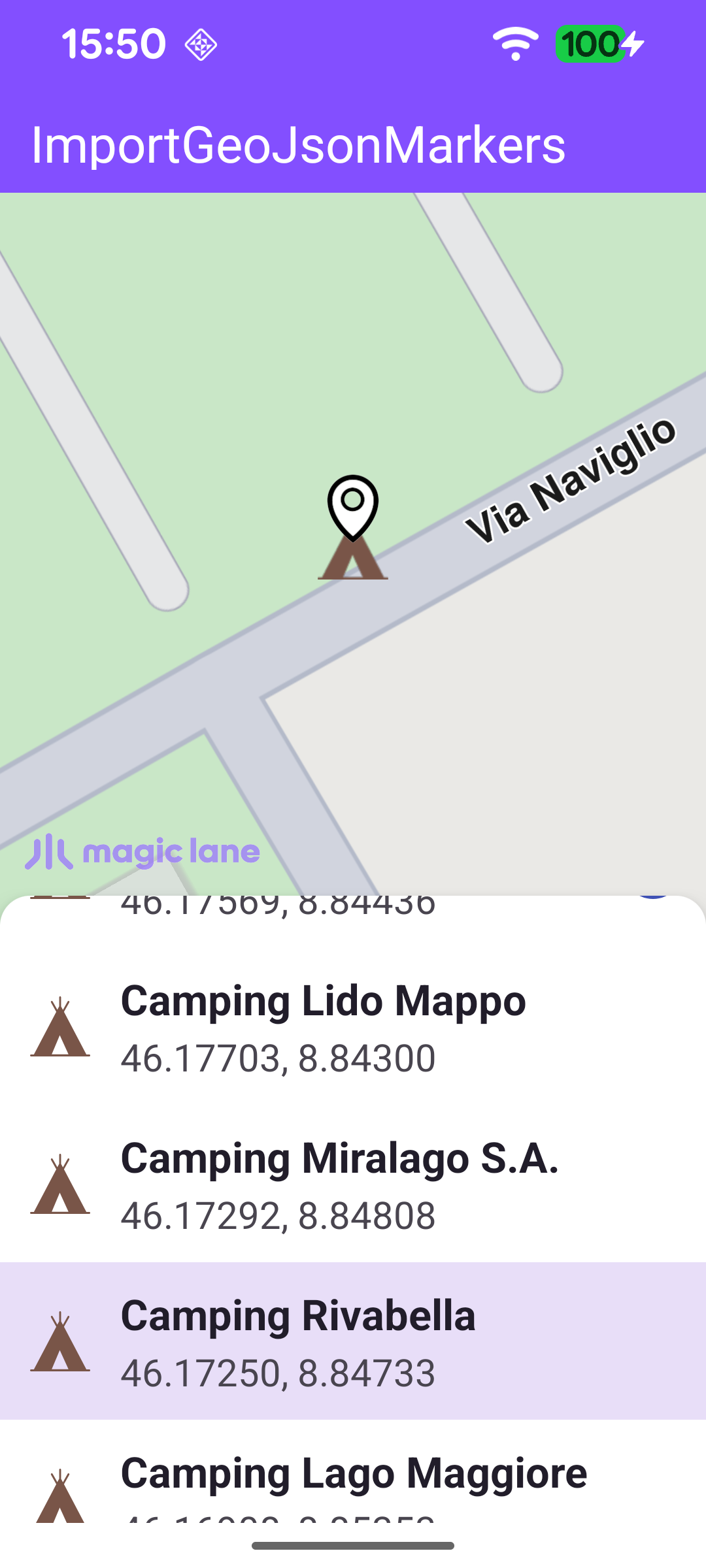
Tapping a cluster lists the campsites it contains
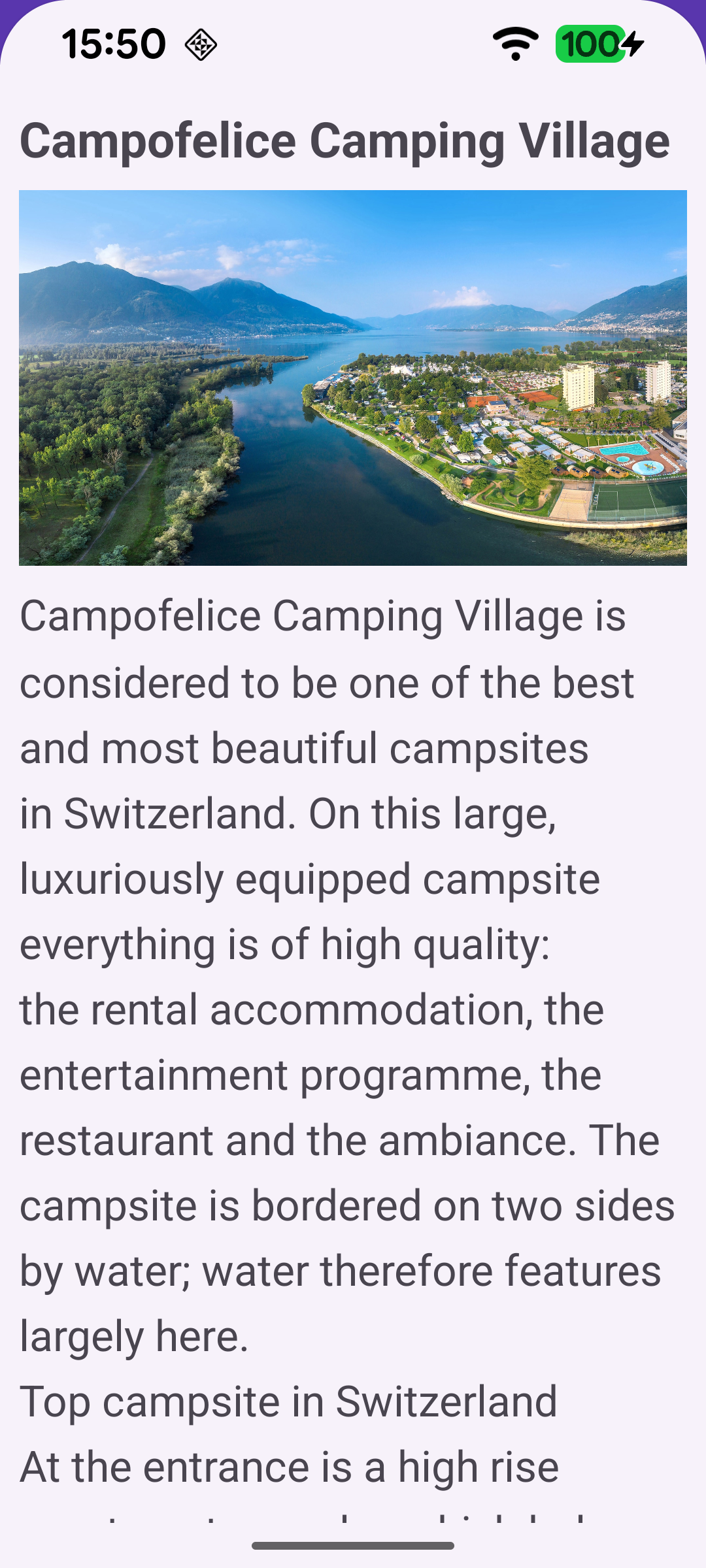
The info button opens the campsite photo and description
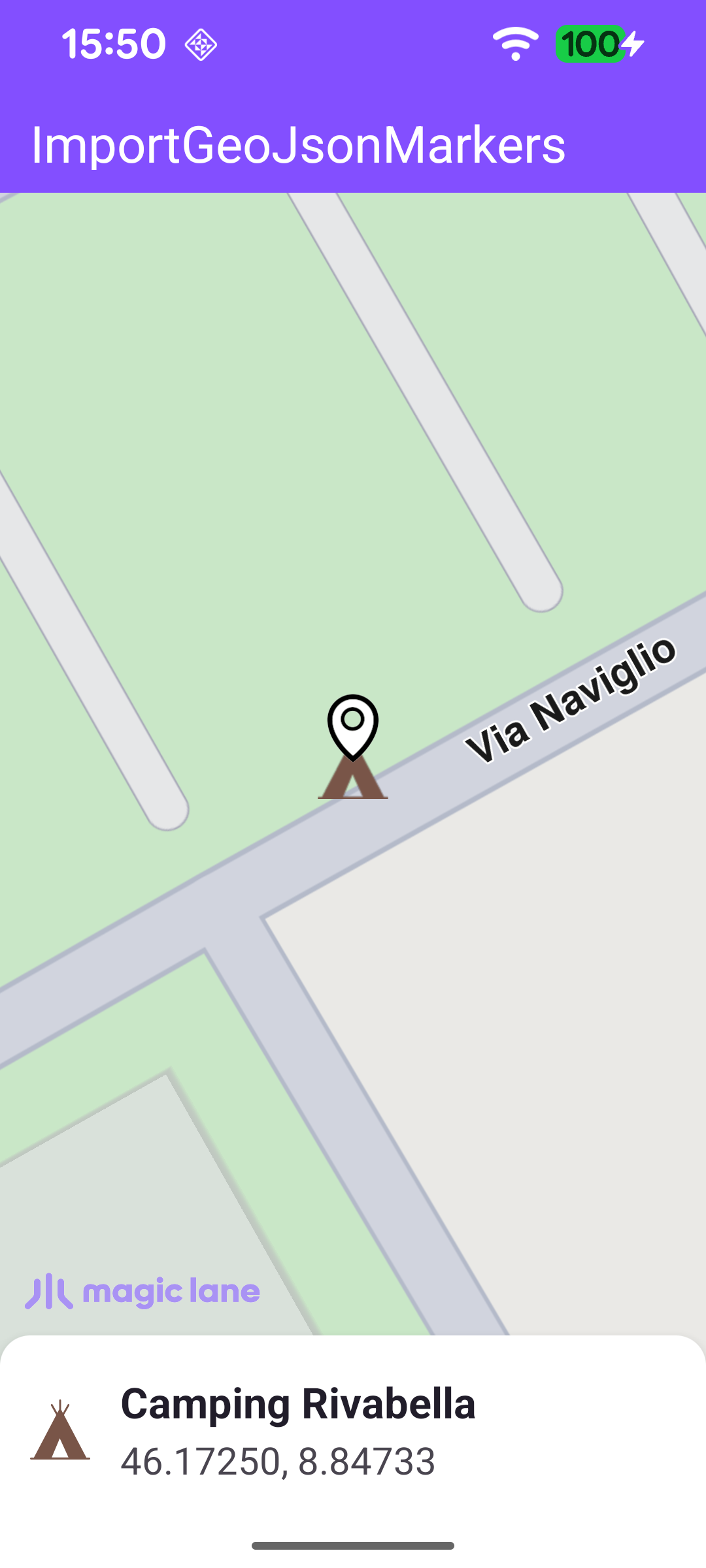
Selecting a campsite highlights it and centers the map
A single highlighted campsite on the map

Importing the GeoJSON File

The GeoJSON asset is read off the main thread, then handed to the SDK thread for registration. addGeoJsonAsMarkerCollection parses the data and returns one or more marker collections, which are added to the map's marker preferences together with a MarkerCollectionRenderSettings. Those settings define the per-marker tent icon, its size, and the cluster ("points group") icons and labels used when markers are densely packed.

MainActivity.ktView on Github
private fun importGeoJsonMarkers(mapView: MapView?) {
mapView ?: return

// File reading, JSON parsing, and bitmap rendering are all blocking/CPU-heavy; run them
// on the IO dispatcher so the SDK thread (caller) and the main thread stay unblocked.
lifecycleScope.launch(Dispatchers.IO) {
withContext(Dispatchers.Main) { binding.progressBar.isVisible = true }

try {
val geoJsonBytes = applicationContext.assets.open("campsites.geojson").readBytes()
if (geoJsonBytes.isEmpty()) return@launch

// Pre-parse the GeoJSON for description / image URL keyed by coordinates.
// These fields are not forwarded by the SDK's Marker object, so we look them up
// when a marker is selected using its geographic position as the key.
markerExtraPropsMap = buildMarkerExtraPropsMap(geoJsonBytes)

val brownColor = ResourcesCompat.getColor(resources, R.color.camping_icon_brown, theme)
val markerImage = loadVectorImage(R.drawable.tent_icon, brownColor)
val clusterImage = loadVectorImage(R.drawable.red_circle_shape_icon)

// Hand off to the SDK thread for map registration once all assets are ready.
SdkCall.runSynced {
val renderingSettings = MarkerCollectionRenderSettings(markerImage).apply {
imageSize = MARKER_IMAGE_SIZE_MM

lowDensityPointsGroupImage = clusterImage
mediumDensityPointsGroupImage = clusterImage
highDensityPointsGroupImage = clusterImage

labelGroupTextColor = Rgba.white()
labelGroupTextSize = LABEL_GROUP_TEXT_SIZE_MM

labelingMode = EMarkerLabelingMode.Group.value or
EMarkerLabelingMode.GroupCenter.value or
EMarkerLabelingMode.TextCentered.value
buildPointsGroupConfig = true
}

val result = mapView.addGeoJsonAsMarkerCollection(
data = DataBuffer(geoJsonBytes),
name = "Campsites",
listener = ProgressListener(),
importPolygonAsArea = false,
)

result?.first?.forEach { markerCollection ->
mapView.preferences?.markers?.add(markerCollection, renderingSettings)
}
}
} finally {
withContext(Dispatchers.Main) { binding.progressBar.isVisible = false }
}
}
}

Reading the Extra Properties

The SDK's Marker object exposes only the marker name and coordinates, not the richer GeoJSON properties. To keep the description and photo available, the file is parsed once into a map keyed by "lat,lon" (rounded to ~1 m precision). When a marker is later selected, its coordinates are used to look up the matching description and image URL.

MainActivity.ktView on Github
private fun buildMarkerExtraPropsMap(geoJsonBytes: ByteArray): Map<String, MarkerExtraProperties> {
val map = mutableMapOf<String, MarkerExtraProperties>()
try {
val features = org.json.JSONObject(String(geoJsonBytes)).optJSONArray("features")
?: return map
for (i in 0 until features.length()) {
val feature = features.optJSONObject(i) ?: continue
val coords = feature.optJSONObject("geometry")?.optJSONArray("coordinates") ?: continue
if (coords.length() < 2) continue
// GeoJSON coordinate order is [longitude, latitude].
val lon = coords.optDouble(0, Double.NaN)
val lat = coords.optDouble(1, Double.NaN)
if (lat.isNaN() || lon.isNaN()) continue
val props = feature.optJSONObject("properties") ?: continue
val description = props.optString("description").takeIf { it.isNotEmpty() && it != "null" }
val imageUrl = props.optString("image").takeIf { it.isNotEmpty() && it != "null" }
if (description != null || imageUrl != null) {
// 5 decimal places ≈ 1 m precision - sufficient to uniquely identify a marker.
val key = String.format(java.util.Locale.US, "%.5f,%.5f", lat, lon)
map[key] = MarkerExtraProperties(description, imageUrl)
}
}
} catch (_: Exception) { }
return map
}

Handling Marker Selection

A touch on the map sets the cursor position and reads the markers under it. A tapped marker may be a single campsite or a cluster, so the group head and its components are gathered, deduplicated by ID, and turned into display items shown in the marker panel.

MainActivity.ktView on Github
private fun handleSelectedMarkers(markers: MarkerMatchList) {
val match = markers.firstOrNull() ?: return
val marker = match.marker ?: return
val collection = match.markerCollection ?: return

// A tapped group may be a cluster: gather the representative head and all its components.
val candidates = buildList {
collection.getPointsGroupHead(marker.id)?.let(::add)
collection.getPointsGroupComponents(marker.id)?.let(::addAll)
}

// Deduplicate by marker ID (head and components can overlap) and build display items.
val seenIds = mutableSetOf<Long>()
val items = candidates.mapNotNull { m ->
if (seenIds.add(m.id)) MarkerInfo.from(m, markerExtraPropsMap) else null
}

binding.gemSurface.mapView?.deactivateAllHighlights()
showMarkerPanel(items)
}

Highlighting a Campsite on the Map

Selecting a campsite from the list highlights it with a search-result pin and centers the camera on its coordinates, animating into the free space not covered by the panel.

MainActivity.ktView on Github
private fun highlightMarkerOnMap(item: MarkerInfo) {
val lat = item.latitude ?: return
val lon = item.longitude ?: return
val mapView = binding.gemSurface.mapView ?: return
// Capture free-space center on the main thread before crossing into the SDK thread.
val center = getFreeSpaceCenter()

SdkCall.execute {
mapView.deactivateAllHighlights()

val coordinates = Coordinates(lat, lon)
val landmark = Landmark("", coordinates).also { lm ->
lm.image = ImageDatabase().getImageById(SdkImages.Core.Search_Results_Pin.value)
}
val highlightSettings = HighlightRenderSettings(
EHighlightOptions.ShowLandmark.value or EHighlightOptions.Overlap.value,
).also { it.imageSize = 6.0 }

mapView.centerOnCoordinates(coordinates, -1, center, Animation(EAnimation.Linear, 900), 0.0, 0.0)
mapView.activateHighlightLandmarks(landmark, highlightSettings)
}
}