
Fly To Coordinates

Last updated: June 19, 2026 | 3 minutes read

This example demonstrates how to fly the camera to a fixed pair of coordinates and highlight a landmark there. A Landmark is created from a latitude/longitude pair, the camera is animated to centre on it, and the landmark is highlighted on the map with a search-result pin. The map remains fully interactive, supporting pan, pinch-zoom, rotate and tilt.
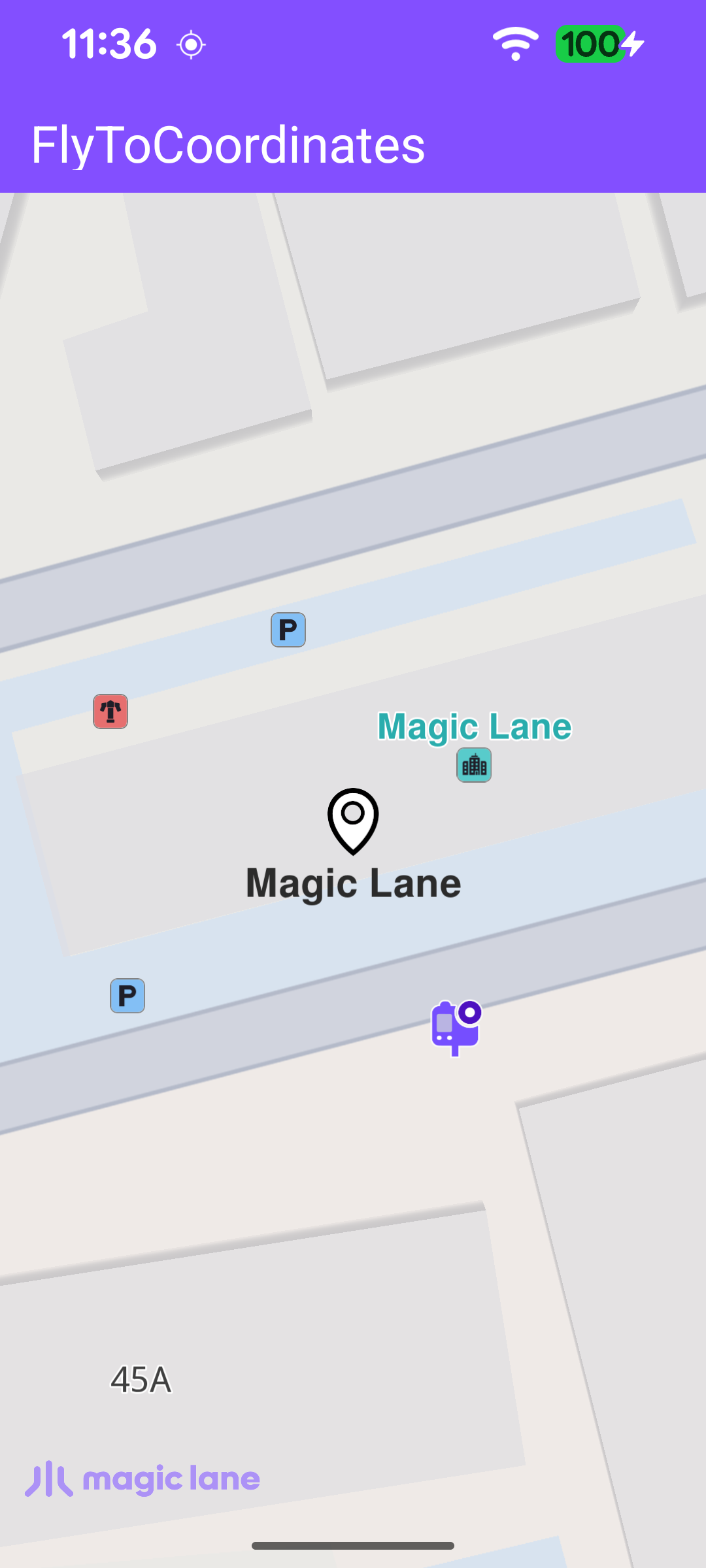
The camera centered on the coordinates with the landmark highlighted

Creating the Landmark and Flying to It

Once the worldwide road map is confirmed up to date, the callback is cleared so it fires only once, then a Landmark is built from a name and a latitude/longitude pair and passed to highlightLandmarkOnMap.

MainActivity.ktView on Github
SdkSettings.onWorldwideRoadMapSupportStatus = { status ->
if (status == EOffboardListenerStatus.UpToDate) {
// Fire once; clear itself to avoid repeated triggers.
SdkSettings.onWorldwideRoadMapSupportStatus = {}

SdkCall.runSynced {
val landmark = Landmark("Magic Lane", 45.65112176095828, 25.60473923113322)
highlightLandmarkOnMap(landmark, getFreeSpaceRect())
}
}
}

Centering and Highlighting

highlightLandmarkOnMap clears any previous highlight, assigns the search-result pin image to the landmark, centres the camera on its coordinates with centerOnCoordinates, and then highlights it with activateHighlightLandmarks. The camera is centred on the middle of the free-space rectangle so the pin is not hidden behind the toolbar or the system bars.

MainActivity.ktView on Github
private fun highlightLandmarkOnMap(landmark: Landmark, freeSpaceRect: Rect) {
binding.gemSurfaceView.mapView?.let { mapView ->
mapView.deactivateAllHighlights()

landmark.image = ImageDatabase().getImageById(SdkImages.Core.Search_Results_Pin.value)

val highlightSettings = HighlightRenderSettings(
EHighlightOptions.ShowLandmark,
).also {
it.imageSize = 6.0
}

landmark.coordinates?.let { coords ->
mapView.centerOnCoordinates(
coords,
-1,
freeSpaceRect.center,
Animation(EAnimation.Linear, 900),
0.0,
0.0,
)
}

mapView.activateHighlightLandmarks(
landmark,
highlightSettings,
)
}
}

The camera is centred on a rectangle rather than the full surface so the landmark is never hidden behind the toolbar or the system bars. getFreeSpaceRect() builds that rectangle from the toolbar position, the window insets and the system bars.

MainActivity.ktView on Github
// Returns the visible map area excluding system bars and toolbar - used for coordinate centering.
private fun getFreeSpaceRect(): Rect {
val root = binding.root
val insets = ViewCompat.getRootWindowInsets(root)?.getInsets(SYSTEM_INSET_TYPES)

val width = root.width.takeIf { it > 0 } ?: resources.displayMetrics.widthPixels
val height = root.height.takeIf { it > 0 } ?: resources.displayMetrics.heightPixels

val left = insets?.left ?: 0
val right = (width - (insets?.right ?: 0)).coerceAtLeast(left)

val topInset = insets?.top ?: 0
val toolbarBottom = binding.toolbar.bottom.takeIf { it > 0 } ?: 0
val top = maxOf(topInset, toolbarBottom)
val bottom = (height - (insets?.bottom ?: 0)).coerceAtLeast(top)

return Rect(left, top, right, bottom)
}