
Favourites

Last updated: June 16, 2026 | 5 minutes read

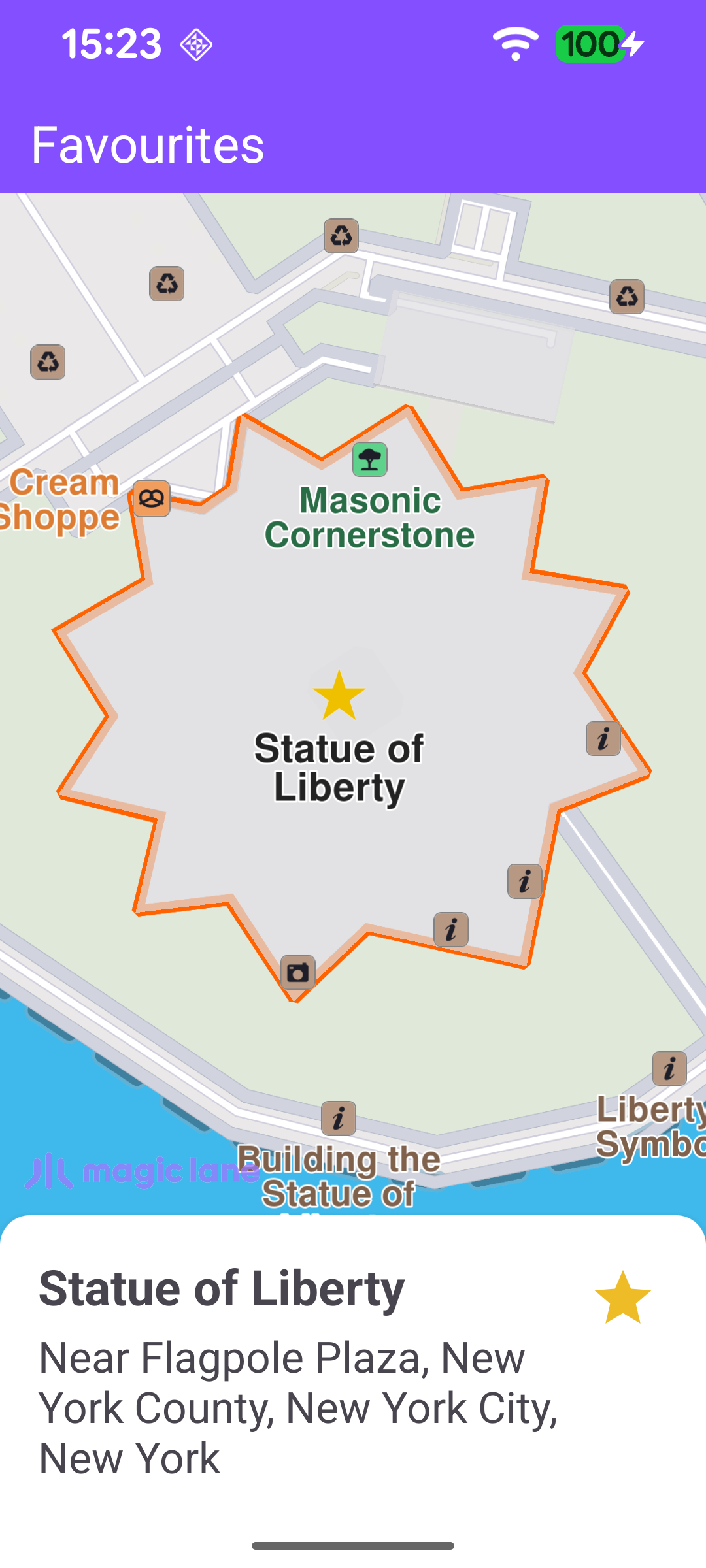
This example demonstrates how to add a landmark to favourites and remove it again. The app searches for a fixed landmark (the Statue of Liberty), highlights it on the map and shows a details panel with a star button. Tapping the star saves the landmark to a persistent LandmarkStore, or removes it if it is already saved.
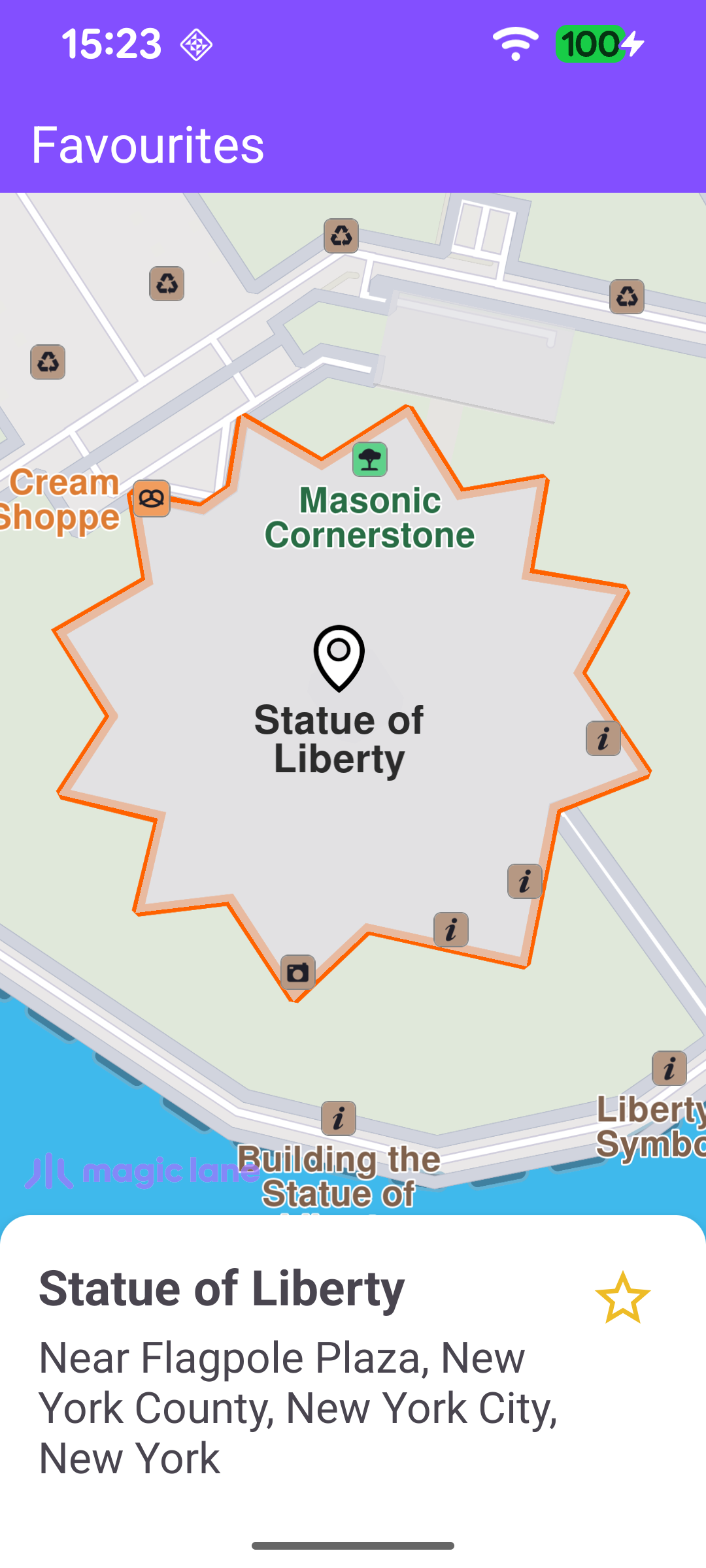
Search result with an outlined star - not a favourite yet
Tap the star to save it - a filled star marks a favourite

note

The star button reflects the favourite state: a filled star means the landmark is saved in the favourites store, while an outlined star means it is not.

Creating the Favourites Store

Favourites are persisted in a LandmarkStore. The store is created once the default map view is available and registered with the map's preferences so its landmarks are rendered on the map.

MainActivity.ktView on Github
binding.gemSurfaceView.onDefaultMapViewCreated = { mapView ->
store = LandmarkStoreService().createLandmarkStore("Favourites")?.first
store?.let { mapView.preferences?.landmarkStores?.addAllStoreCategories(it.id) }
// Position the Magic Lane logo respecting system insets and any visible panels.
updateFocusViewport()
}

Searching for the Landmark

Once the worldwide road map is up to date, the example runs a text search for the target landmark. The coordinates passed to searchByFilter are only a reference point used to bias result relevance; they are not required for the search to work.

MainActivity.ktView on Github
SdkSettings.onWorldwideRoadMapSupportStatus = { status ->
if (status == EOffboardListenerStatus.UpToDate) {
SdkSettings.onWorldwideRoadMapSupportStatus = {}
SdkCall.execute {
searchService.searchByFilter("Statue of Liberty New York", Coordinates(40.68925476, -74.04456329))
}
}
}

When the search completes, the first result is kept, the location details panel is shown, and the landmark is highlighted on the map.

MainActivity.ktView on Github
private val searchService = SearchService(
onStarted = {
binding.progressBar.visibility = View.VISIBLE
showStatusMessage(getString(R.string.searching))
},

onCompleted = { results, errorCode, _ ->
binding.progressBar.visibility = View.GONE

when (errorCode) {
GemError.NoError -> {
if (results.isNotEmpty()) {
landmark = results[0]

showLocationDetailsPanel(
GemUtil.formatName(landmark),
GemUtil.getLandmarkDescription(landmark, true),
) {
highlightLandmarkOnMap(landmark, getMapFreeRect(mapFreeSpacePadding()), isFavourite(landmark))
}

binding.statusText.visibility = View.GONE
} else {
showStatusMessage(getString(R.string.no_search_results))
}
}
else -> {
showStatusMessage(
getString(R.string.search_completed_with_error, SdkCall.runSynced { GemError.getMessage(errorCode, this) }),
)
}
}
EspressoIdlingResource.decrement()
},
)

The Details Panel and the Star Button

showLocationDetailsPanel fills in the landmark's name and description, and sets the star button's icon to match the current favourite state. Tapping the button toggles the landmark in or out of the store and re-highlights it (without flying the camera again).

MainActivity.ktView on Github
private fun showLocationDetailsPanel(title: String, message: String, onViewCreated: (() -> Unit)? = null) {
binding.locationDetailsPanel.apply {
this.title.text = title
this.message.text = message

setFavouriteButtonIcon(favoritesButton, isFavourite(landmark))

favoritesButton.setOnClickListener {
val landmarkId = getFavouriteId(landmark)
val isFavourite = if (landmarkId != -1) {
deleteFromFavourites(landmarkId)
setFavouriteButtonIcon(favoritesButton, false)
false
} else {
addToFavourites(landmark)
setFavouriteButtonIcon(favoritesButton, true)
true
}
highlightLandmarkOnMap(landmark, getMapFreeRect(mapFreeSpacePadding()), isFavourite, false)
}

root.visibility = View.VISIBLE

// After the panel is laid out, update the logo position then fly to the landmark.
root.post {
updateFocusViewport()
onViewCreated?.invoke()
}
}
}

Adding, Removing and Looking Up Favourites

To add a favourite, a copy of the landmark is made, given the favourite push-pin image, and saved with store.addLandmark. Removing one is a single store.removeLandmark(id) call.

MainActivity.ktView on Github
private fun addToFavourites(landmark: Landmark) = SdkCall.execute {
val lmk = Landmark()
lmk.assign(landmark)
ImageDatabase().getImageById(SdkImages.Engine_Misc.LocationDetails_FavouritePushPin.value)
?.let { lmk.image = it }
store?.addLandmark(lmk)
}

private fun deleteFromFavourites(landmarkId: Int) = SdkCall.execute {
store?.removeLandmark(landmarkId)
}

Both operations need the stored landmark's id. Since a search result and a stored copy are distinct objects, getFavouriteId looks the landmark up by location: it queries the store for landmarks in a small area around the coordinates and returns the id of the first one that matches within a tolerance (or -1 if none is found). isFavourite is a thin wrapper over this check.

MainActivity.ktView on Github
private fun getFavouriteId(landmark: Landmark): Int = SdkCall.execute {
// Search a small area around the landmark to find its store ID.
val radius = 5.0 // meters
val area = landmark.coordinates?.let { RectangleGeographicArea(it, radius, radius) }
val landmarks = area?.let { store?.getLandmarksByArea(it) } ?: return@execute -1

val threshold = 0.00001
landmarks.forEach {
val itCoordinates = it.coordinates
val landmarkCoordinates = landmark.coordinates

if (itCoordinates != null && landmarkCoordinates != null) {
if ((itCoordinates.latitude - landmarkCoordinates.latitude < threshold) &&
(itCoordinates.longitude - landmarkCoordinates.longitude < threshold)
) return@execute it.id
} else {
return@execute -1
}
}
-1
} ?: -1

Highlighting the Landmark on the Map

highlightLandmarkOnMap clears any previous highlight and assigns the search-result pin image. Landmarks with a geographic contour (such as the Statue of Liberty) are centred on that area with centerOnRectArea and drawn with their contour; point landmarks are centred on their coordinate instead. The highlight options depend on whether the landmark is already a favourite - when it is, the stored favourite pin already marks it, so only the contour is drawn.

MainActivity.ktView on Github
private fun highlightLandmarkOnMap(
landmark: Landmark,
rect: Rect,
isFavorite: Boolean,
flyToLandmark: Boolean = true,
) = SdkCall.execute {
binding.gemSurfaceView.mapView?.let { mapView ->
mapView.deactivateAllHighlights()

landmark.image = ImageDatabase().getImageById(SdkImages.Core.Search_Results_Pin.value)

val contour = landmark.getContourGeographicArea()
var highlightSettings: HighlightRenderSettings

if ((contour != null) && !contour.isEmpty()) {
if (flyToLandmark) {
mapView.centerOnRectArea(
contour,
zoomLevel = -1,
viewRc = rect,
Animation(EAnimation.Linear, 900),
)
}

val highlightOptions = if (isFavorite) {
EHighlightOptions.ShowContour.value
} else {
EHighlightOptions.ShowContour.value or EHighlightOptions.ShowLandmark.value
}

highlightSettings = HighlightRenderSettings(
highlightOptions,
Rgba(255, 98, 0, 255),
0.75,
).also { it.imageSize = 6.0 }

mapView.activateHighlightLandmarks(landmark, highlightSettings)
} else {
if (flyToLandmark) {
landmark.coordinates?.let {
mapView.centerOnCoordinates(
it,
-1,
rect.center,
Animation(EAnimation.Linear, 900),
0.0,
0.0,
)
}
}

if (!isFavorite) {
highlightSettings = HighlightRenderSettings(EHighlightOptions.ShowLandmark)
.also { it.imageSize = 6.0 }
mapView.activateHighlightLandmarks(landmark, highlightSettings)
}
}
}
}