
Draw Polyline

Last updated: June 19, 2026 | 3 minutes read

This example demonstrates how to draw a polyline on the map and center the camera on it. The polyline is built from a fixed set of coordinates, rendered as a magenta line, and the camera is then animated to frame the whole polyline within the visible map area. The map remains fully interactive, supporting pan, pinch-zoom, rotate and tilt.
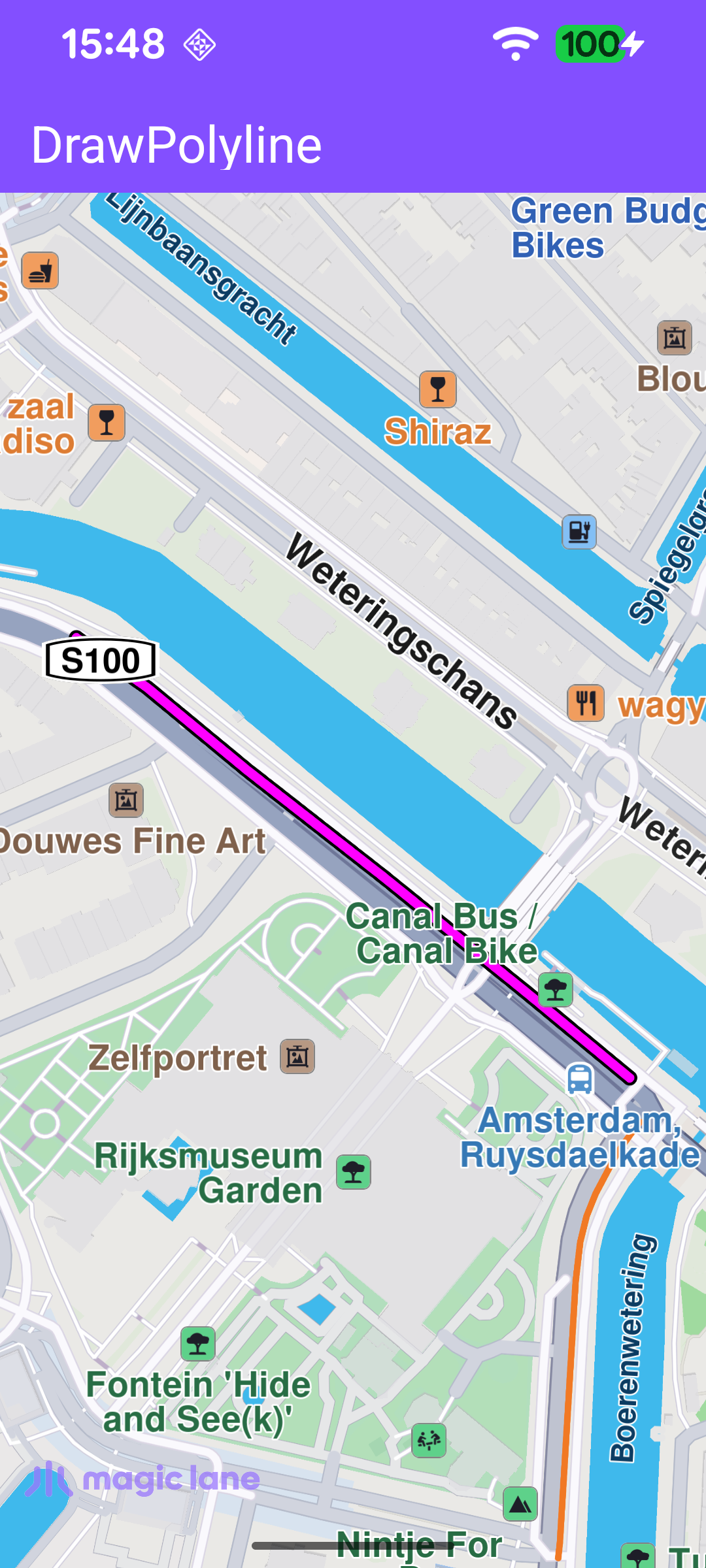
User-defined polyline drawn and centered on the map

Drawing and Framing the Polyline

flyToPolyline() builds the line, renders it, and moves the camera. A MarkerCollection of type Polyline holds a single Marker whose coordinate pairs define the line. The MarkerCollectionRenderSettings set the line's colours and thickness (a magenta inner line over a thin black outline). The collection is then added to the map view's markers collection (mapView.preferences?.markers) so it is drawn on the map. Finally, the camera is animated to the collection's bounding area (markerCollection.area) with centerOnRectArea, framing it inside the free space left by the toolbar and system bars.

MainActivity.ktView on Github
private fun flyToPolyline(mapView: MapView) {
/**
* Make a MarkerCollection and a Marker item that will be stored in the collection.
* You can create multiple Marker items that can be added in the same collection.
*/
val markerCollection = MarkerCollection(EMarkerType.Polyline, "My marker collection")

// Define a marker item and add the necessary coordinates to it.
val marker = Marker().apply {
add(52.360234, 4.886782)
add(52.360495, 4.886266)
add(52.360854, 4.885539)
add(52.361184, 4.884849)
add(52.361439, 4.884344)
add(52.361593, 4.883986)
}
markerCollection.add(marker)

// Configure how the polyline is rendered on the map.
val settings = MarkerCollectionRenderSettings(
polylineInnerColor = Rgba.magenta(),
polylineOuterColor = Rgba.black(),
).apply {
polylineInnerSize = 1.25
polylineOuterSize = 0.75
}

mapView.preferences?.markers?.add(markerCollection, settings)

// Animate the camera to frame the polyline, respecting UI chrome.
markerCollection.area?.let {
mapView.centerOnRectArea(
area = it,
zoomLevel = -1,
getFreeSpaceRectangle(),
animation = Animation(EAnimation.Linear, duration = 900),
)
}
}

The camera is framed into a rectangle rather than the full surface so the polyline is never hidden behind the toolbar or the system bars. getFreeSpaceRectangle() builds that rectangle from the toolbar height, the window insets and a fixed margin.

MainActivity.ktView on Github
// Returns the screen rect not covered by toolbars or system insets, for camera framing.
private fun getFreeSpaceRectangle(): Rect {
val insets = ViewCompat.getRootWindowInsets(binding.root)?.getInsets(SYSTEM_INSET_TYPES)
return Rect(
(insets?.left ?: 0) + inflate,
toolbarHeight + inflate,
binding.root.width - (insets?.right ?: 0) - inflate,
binding.root.height - (insets?.bottom ?: 0) - inflate,
)
}

Drawing the Polyline When the Map Is Ready

The polyline is drawn as soon as the default map view is created. The onDefaultMapViewCreated callback positions the Magic Lane logo and calls flyToPolyline(mapView).

MainActivity.ktView on Github
binding.gemSurface.onDefaultMapViewCreated = { mapView ->
// Position the Magic Lane logo and draw the polyline on first map creation.
updateFocusViewport()
flyToPolyline(mapView)

lifecycleScope.launch {
delay(3000)
EspressoIdlingResource.decrement()
}
}