
Hello Map

Last updated: June 16, 2026 | 4 minutes read

In this example you will learn how to render an interactive map centered on a desired location. The map is fully 3D, supporting pan, pinch-zoom, rotate and tilt. The example also shows how to react to SDK readiness, recover gracefully from an initialization failure or a rejected API token, and keep the map drawing edge-to-edge while respecting the system bars.
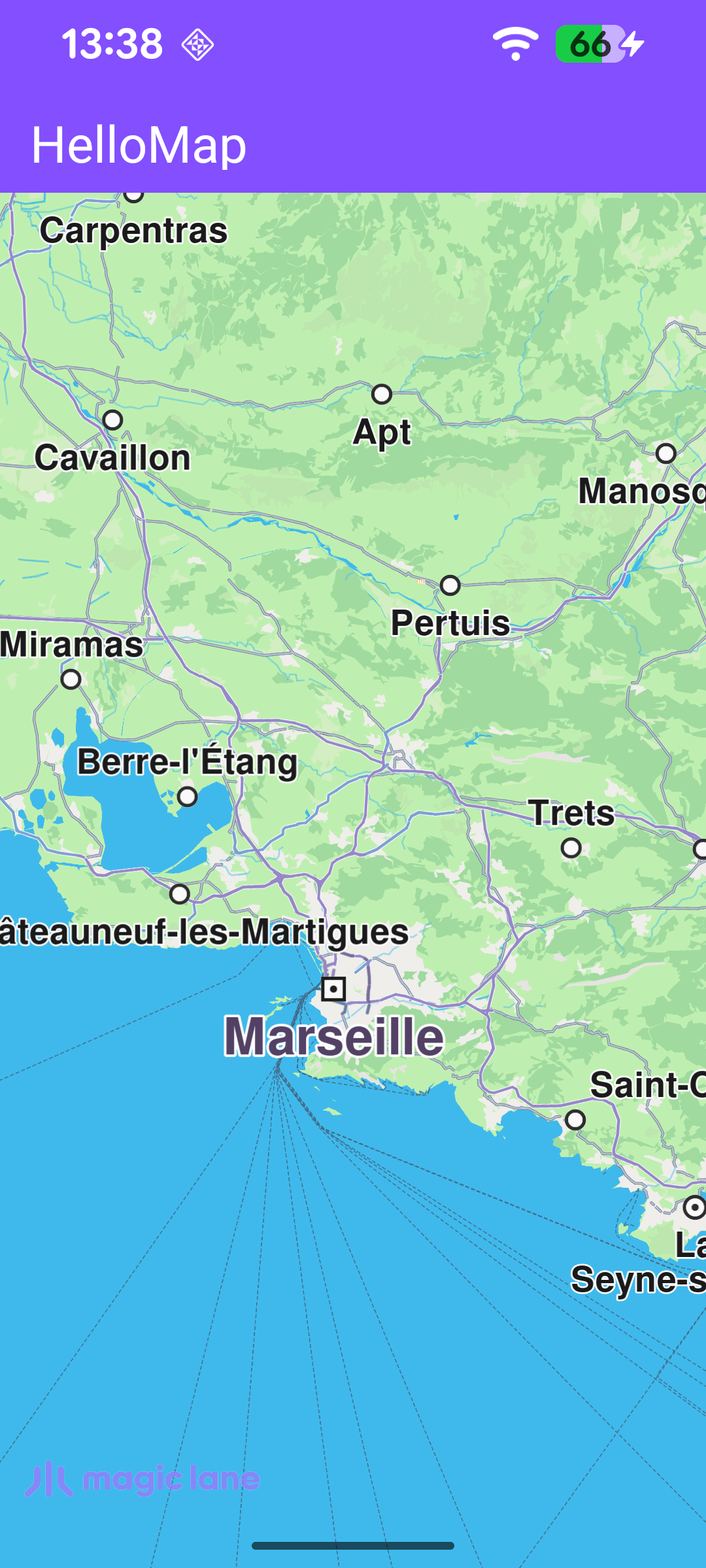
Map View

Map Display and Cleanup

The following code outlines the main activity, which displays the map and handles resource clean-up.

The MainActivity overrides onCreate, which inflates the view binding and calls setContentView(binding.root) for the layout defined in res/layout/activity_main.xml. It enables edge-to-edge drawing so the map fills the entire screen, then registers the SDK listeners.

When the activity is destroyed, onDestroy clears those listeners, deinitializes the SDK with GemSdk.release(), and exits the process so all native resources are freed.

MainActivity.ktView on Github
class MainActivity : AppCompatActivity()
{
override fun onCreate(savedInstanceState: Bundle?) {
enableEdgeToEdge()
super.onCreate(savedInstanceState)

binding = ActivityMainBinding.inflate(layoutInflater)
setContentView(binding.root)

// Keep status-bar icons light against the dark primary toolbar background.
WindowCompat.getInsetsController(window, window.decorView).isAppearanceLightStatusBars = false

registerSdkListeners()
}

override fun onDestroy() {
super.onDestroy()
clearSdkListeners()
// Deinitialize the SDK.
GemSdk.release()
exitProcess(0)
}
}

The com.magiclane.sdk.core.GemSurfaceView is a custom View, part of Magic Lane's SDK, that displays the map. Here it fills the whole screen so the map is the only visible content.

activity_main.xmlView on Github
<?xml version="1.0" encoding="utf-8"?>
<androidx.constraintlayout.widget.ConstraintLayout xmlns:android="http://schemas.android.com/apk/res/android"
xmlns:tools="http://schemas.android.com/tools"
android:layout_width="match_parent"
android:layout_height="match_parent"
tools:context=".MainActivity">

<com.magiclane.sdk.core.GemSurfaceView
android:id="@+id/gem_surface"
android:layout_width="match_parent"
android:layout_height="match_parent" />

</androidx.constraintlayout.widget.ConstraintLayout>

Reacting to SDK Initialization and Map Events

registerSdkListeners() wires up the callbacks that drive the map's lifecycle. Because GemSurfaceView initializes the SDK asynchronously, these callbacks are how the activity learns when the map is ready or when something goes wrong:

  • onSdkInitFailed fires if the SDK fails to initialize. Since the SDK is not running at this point, the error message is resolved directly and shown in a dialog that closes the activity on dismissal.
  • onDefaultMapViewCreated fires once the first map view is ready - the moment the map can be safely accessed.
  • onSurfaceChanged fires whenever the surface is resized, for example on screen rotation.
  • SdkSettings.onApiTokenRejected fires when the provided API token is rejected, prompting the user to supply a valid one.

The error callbacks marshal their UI work onto the main thread with runOnAliveUi, a small helper that only runs the block while the activity is still alive, avoiding callbacks that reach a destroyed activity.

MainActivity.ktView on Github
// Registers all SDK surface and settings callbacks.
private fun registerSdkListeners() {
binding.gemSurface.onSdkInitFailed = { error ->
// The SDK is not initialized yet, so resolve the message directly (no SdkCall).
val errorMessage = getString(R.string.sdk_initialization_failed, GemError.getMessage(error, this))
runOnAliveUi { showDialog(errorMessage) { finish() } }
}

binding.gemSurface.onDefaultMapViewCreated = {
// Align the Magic Lane logo with system window insets on first map creation.
updateFocusViewport()
}

// Re-align the logo whenever the surface is resized (e.g. rotation).
binding.gemSurface.onSurfaceChanged = { _, _ ->
updateFocusViewport()
}

SdkSettings.onApiTokenRejected = {
runOnAliveUi { showDialog(getString(R.string.token_rejected_message)) }
}
}

Keeping the Logo Clear of the System Bars

Because the map draws edge-to-edge, it extends underneath the status and navigation bars. updateFocusViewport() keeps the Magic Lane logo (and other map decorations) inside the visible area by setting the map view's focusViewport to the region left over after subtracting the system window insets.

Map access must run on the SDK thread, so the work is wrapped in SdkCall.runSynced. This method is called once the map is ready (onDefaultMapViewCreated) and again on every resize (onSurfaceChanged), so the layout stays correct across rotations.

MainActivity.ktView on Github
// Adjusts the Magic Lane logo position to respect system window insets.
private fun updateFocusViewport() {
SdkCall.runSynced {
val mapView = binding.gemSurface.mapView ?: return@runSynced
val viewport = mapView.viewport ?: return@runSynced
val insets = ViewCompat.getRootWindowInsets(binding.root)?.getInsets(SYSTEM_INSET_TYPES)

val w = viewport.width
val h = viewport.height
val left = insets?.left ?: 0
val top = insets?.top ?: 0
val right = (w - (insets?.right ?: 0)).coerceAtLeast(left)
val bottom = (h - (insets?.bottom ?: 0)).coerceAtLeast(top)
mapView.preferences?.focusViewport = Rect(left, top, right, bottom)
}
}

Releasing the Listeners

clearSdkListeners() is called from onDestroy to detach every callback before the activity goes away. Resetting them to empty lambdas guarantees that a late SDK callback can never touch a destroyed activity.

MainActivity.ktView on Github
// Clears SDK-level listeners to avoid callbacks reaching a destroyed activity.
private fun clearSdkListeners() {
SdkSettings.onApiTokenRejected = {}
binding.gemSurface.apply {
onSdkInitFailed = {}
onDefaultMapViewCreated = {}
onSurfaceChanged = { _, _ -> }
}
}