
Basic Shape Drawer

Last updated: June 19, 2026 | 4 minutes read

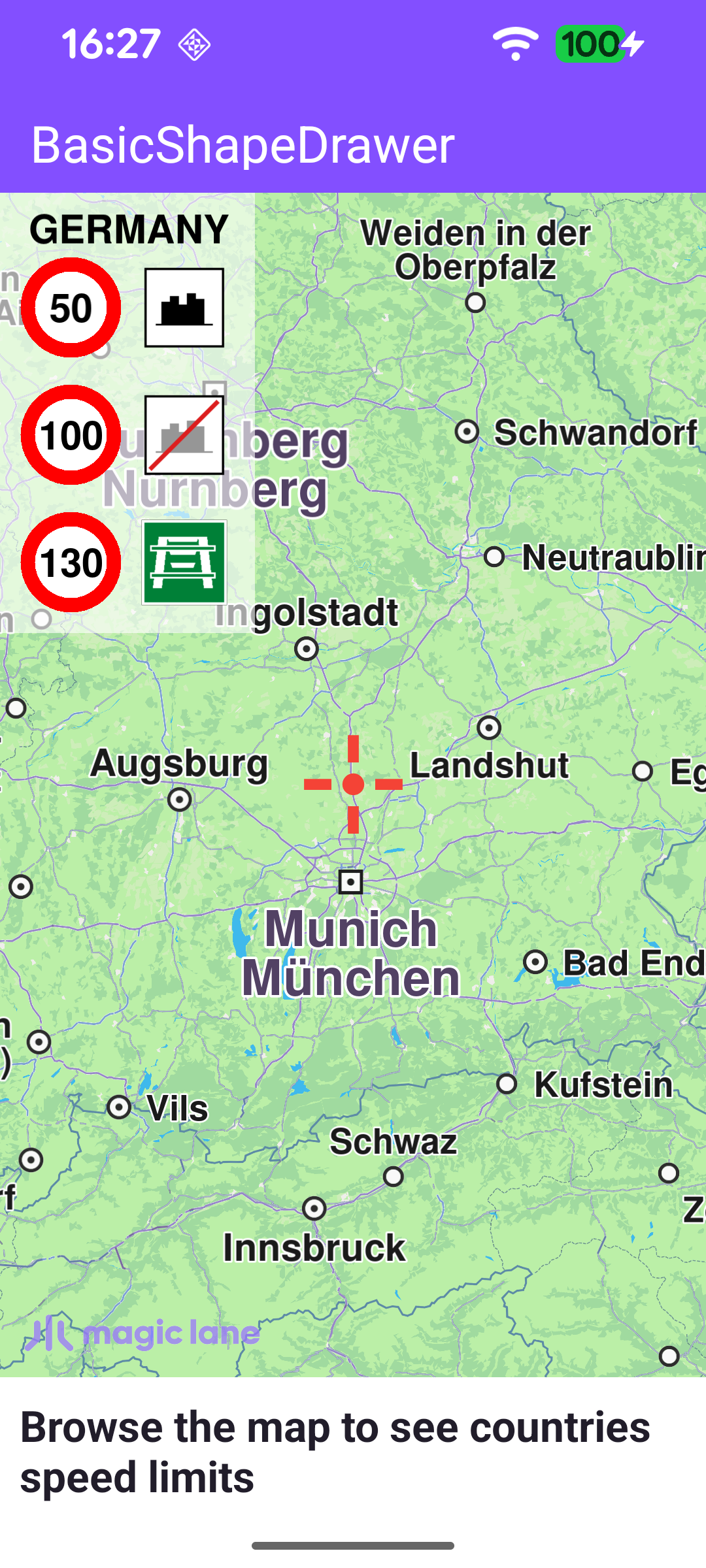
This example uses the BasicShapeDrawer class to render a 2D overlay directly on top of the map. As the user browses the map, the app looks up which country lies under the map centre and draws a panel listing that country's speed limits - one row per coverage type (within town, outside town, express road, motorway) - each shown as a red speed sign next to a road-type icon. The panel is redrawn every frame, so it updates live as the map is panned across borders.
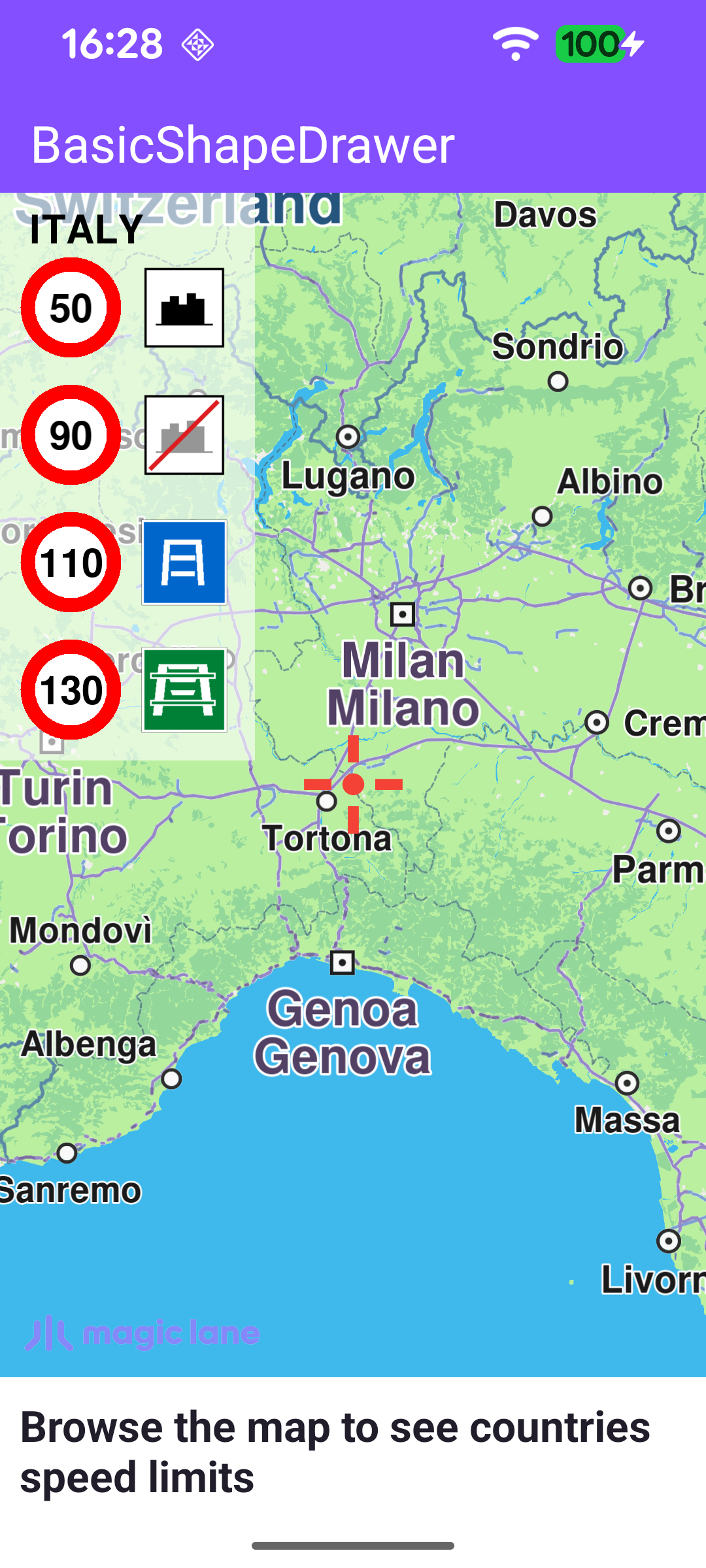
Speed limits for Italy
Speed limits for Germany

Creating the canvas and shape drawer

A BasicShapeDrawer draws onto a Canvas, which is bound to the map's rendering surface. Once the GL surface is created, the example produces a full-screen Canvas (a normalized RectF from 0,0 to 1,1) and a BasicShapeDrawer on top of it.

MainActivity.ktView on Github
binding.gemSurfaceView.onScreenCreated = { screen ->
val rectF = RectF(0.0f, 0.0f, 1.0f, 1.0f) // full-screen canvas
canvas = Canvas.produce(screen, rectF, canvasListener)
shapeDrawer = BasicShapeDrawer.produce(canvas)
}

Drawing on every frame

The overlay is painted through onDrawFrameCustom, a hook invoked for each rendered map frame. It transforms the map-view centre to WGS coordinates and asks MapDetails for the country code there. To avoid recomputing on every frame, the country name and its speed limits are only refreshed when the centre crosses into a new country. While a country is known, the speed-limit panel is drawn.

MainActivity.ktView on Github
binding.gemSurfaceView.onDrawFrameCustom = { _ ->
shapeDrawer?.apply {
binding.gemSurfaceView.mapView?.let { mapView ->
mapView.viewport?.center?.let { center ->
val coordinates = mapView.transformScreenToWgs(center)
coordinates?.let { coord ->
// Update country data only when the map centre crosses into a new country.
val isoCode = mapDetails.getCountryCode(coord)
if (!isoCode.isNullOrEmpty() && (isoCode != countryIsoCode)) {
countryIsoCode = isoCode
countryName = mapDetails.getCountryName(countryIsoCode)?.uppercase(getDefault())
speedLimits = mapDetails.getCountrySpeedLimits(countryIsoCode)
}
}
}
}

if (!countryName.isNullOrEmpty() && !speedLimits.isNullOrEmpty()) {
drawSpeedLimitsPanel(countryName!!, speedLimits!!)
renderShapes()
}
}
}

Drawing the panel background and title

drawSpeedLimitsPanel measures the country name with getTextWidth / getTextAscent, sizes the panel to fit either the title or two sign columns, and draws a semi-transparent white background with drawRectangle before placing the country title with drawText. It then iterates the speed limits and, based on each limit's coverage, draws a row with the matching road-type texture.

MainActivity.ktView on Github
val countryTextWidth = getTextWidth(country, countryTextState).toFloat()
val countryTextHeight = getTextAscent(countryTextState).toFloat()
val panelRight = x + max(countryTextWidth + 3 * padding, 2 * speedSignSize + 2 * padding)
val panelBottom = y + countryTextHeight + 2 * padding + speedLimits.size * (speedSignSize + padding)

// Semi-transparent white background panel.
drawRectangle(x, y, panelRight, panelBottom, Rgba(255, 255, 255, 155).value, true, 2f)

drawText(country, x + 2 * padding, y + 2.5f * padding, countryTextState)

Drawing a speed-limit sign

Each row is a speed sign followed by a road-type icon. The sign is built from two filled circles drawn with drawCircle - a red ring with a smaller white circle inside it - the limit value is centred on top with drawText, and the road-type icon is placed to the right with drawTextureRectangle.

MainActivity.ktView on Github
// Red ring outline.
drawCircle(
(right + left) / 2,
(bottom + top) / 2,
3.5f * padding,
Rgba(255, 0, 0, 255).value,
true,
)
// White fill inside the ring.
drawCircle(
(right + left) / 2,
(bottom + top) / 2,
2.5f * padding,
Rgba(255, 255, 255, 255).value,
true,
)

drawText(
speedLimit,
(left + right) / 2,
(bottom + top) / 2,
TextState(
Rgba(0, 0, 0, 255),
fontSize = fontSize,
alignment = ETextAlignment.Center,
style = ETextStyle.BoldStyle,
),
)

// Road-type icon drawn to the right of the speed sign.
val w = right - left
val x = w + padding
drawTextureRectangle(textureId, x, top, x + w, bottom)

Loading the road-type icon textures

The road-type icons are PNG assets that must be uploaded to the shape drawer as textures before they can be drawn. createFlagTexture reads each asset into a DataBuffer, wraps it in an Image, and registers it with shapeDrawer.createTexture, returning a texture id used later by drawTexturedRectangle.

MainActivity.ktView on Github
private fun createFlagTexture(fileName: String, width: Int, height: Int): Int {
val imgDataBuffer = getImageDataBuffer(fileName)
var id = -1

Image.produceWithDataBuffer(imgDataBuffer, EImageFileFormat.Png)?.apply {
size?.width = width
size?.height = height
}?.let { texture ->
shapeDrawer?.createTexture(texture, width, height)?.let { id = it }
}

return id
}