BLEServer2 - BLEClient2

Last updated: June 19, 2026 | 7 minutes read

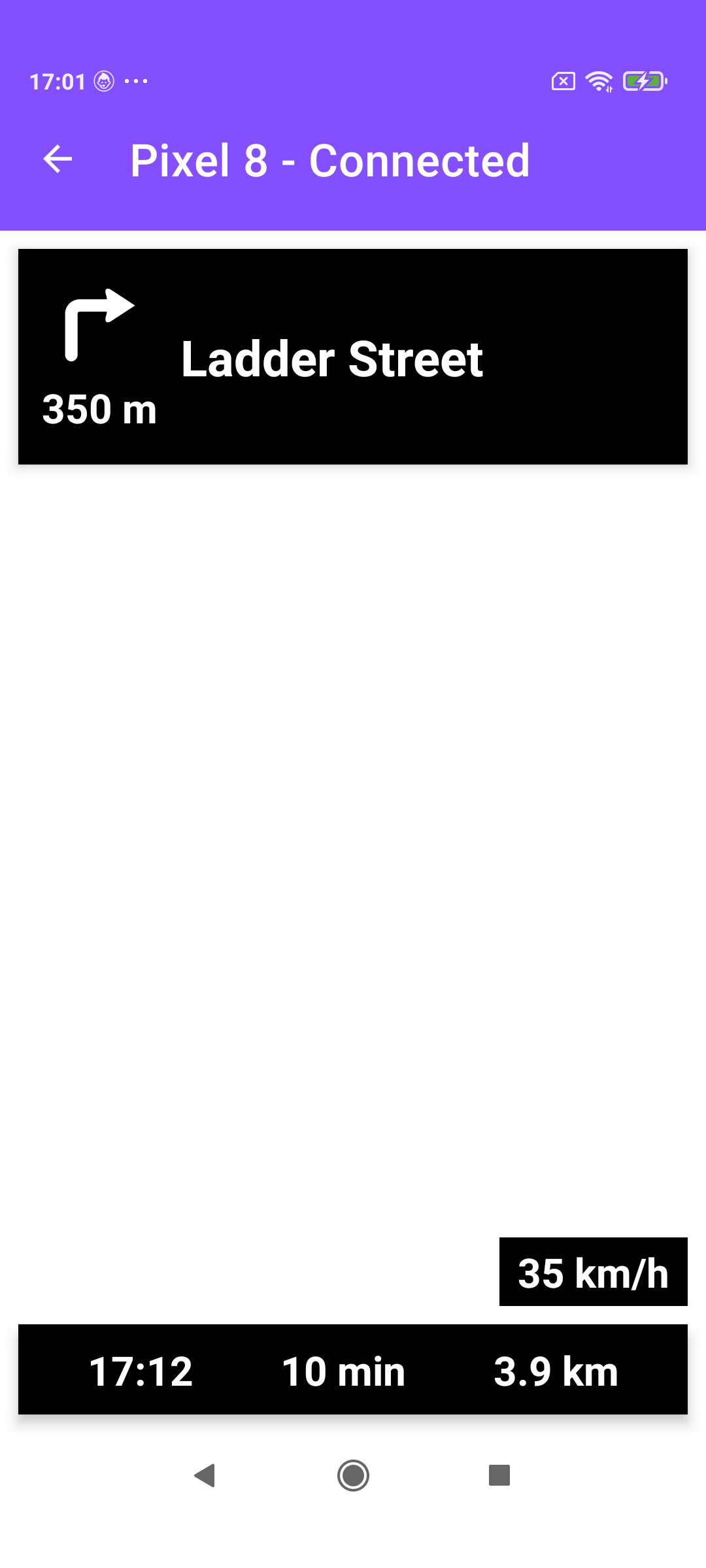
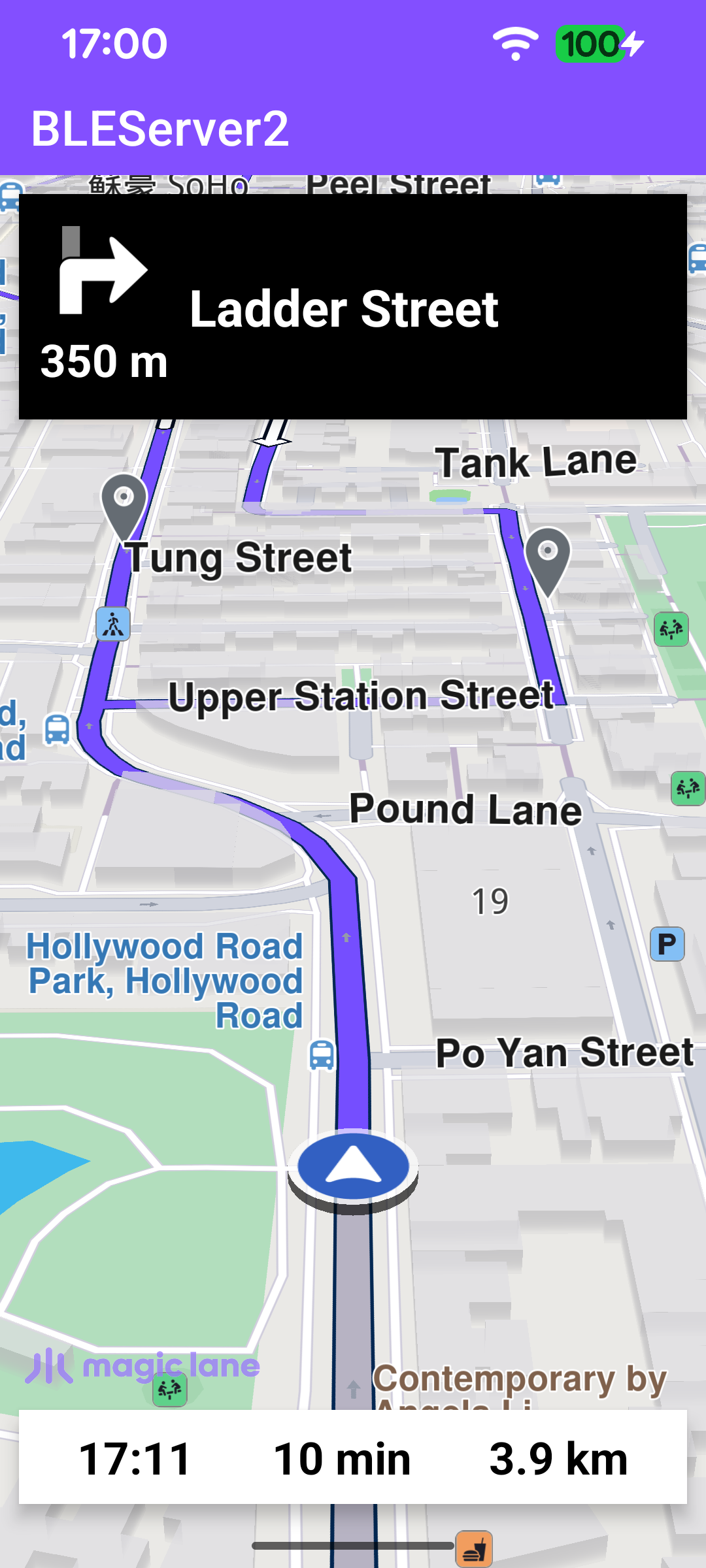
These two companion examples are another variant of BLEServer - BLEClient. They differ in two ways. First, instead of using a separate GATT characteristic per data field, all navigation data is multiplexed over a single characteristic, with a leading type byte identifying each message. Second, the stream is richer: besides the turn icon, instruction text, and distance to the next turn, the server also sends the remaining travel time, remaining travel distance, and the current speed, so the client can show a full ETA panel and a live speed badge. The turn icon itself is sent as a turn-event code (like the original example), which the client maps to one of its own bundled arrows.

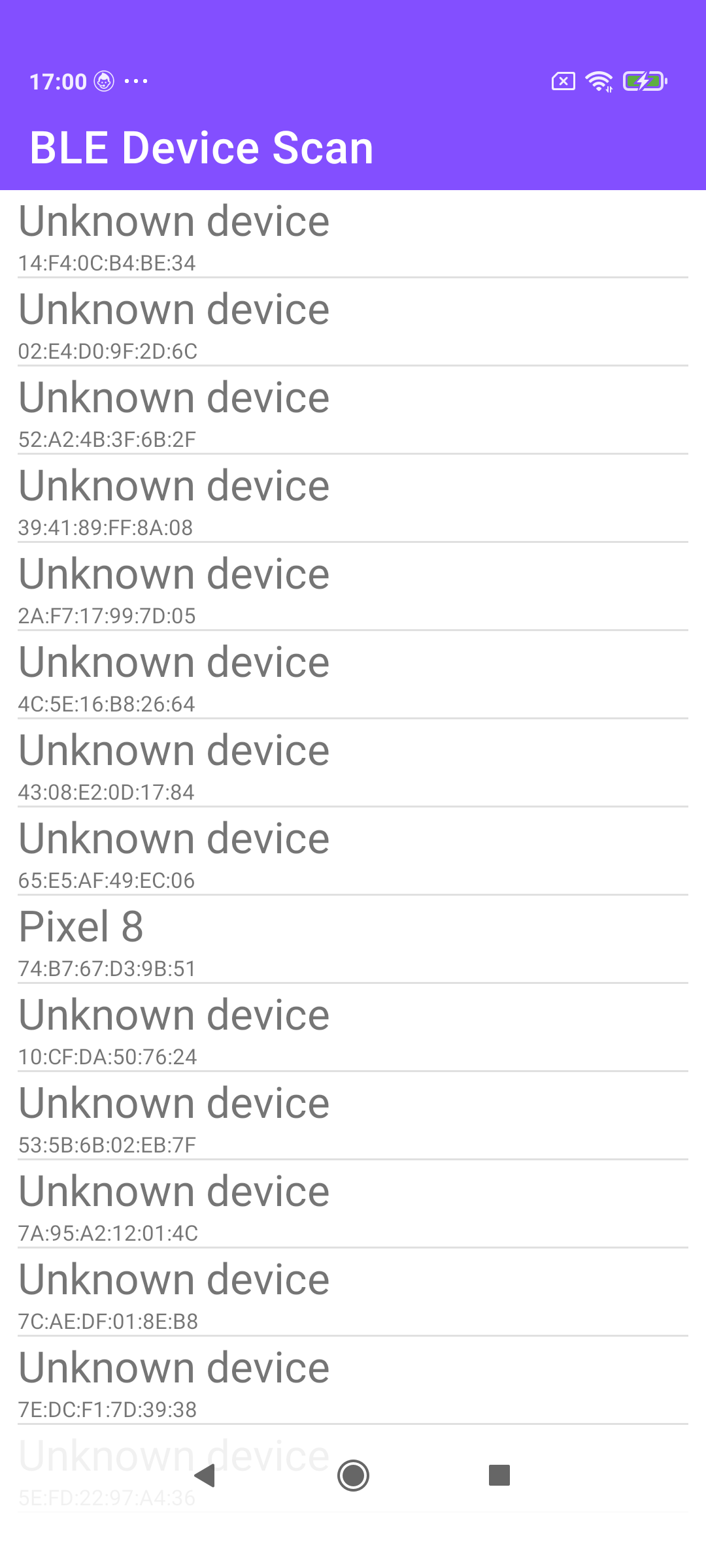
Scanning, connecting, service discovery, and subscribing all work the same as in the first BLE example; the sections below focus on the single-characteristic protocol and the extra telemetry.

BLEServer2: simulated navigation
BLEClient2: scanning for devices
BLEClient2: instruction, ETA and speed

BLE server (BLEServer2)

A single, type-tagged characteristic

The GATT service exposes just one characteristic - TURN_INSTRUCTION - carrying the client-config descriptor for subscriptions. Every field the server sends travels through this one characteristic; the receiver tells them apart by the first byte of each packet.

MainActivity.ktView on Github
private fun createNavigationService(): BluetoothGattService {
val service =
BluetoothGattService(NAVIGATION_SERVICE, BluetoothGattService.SERVICE_TYPE_PRIMARY)

// Read-only characteristic, supports notifications
val turnInstruction = BluetoothGattCharacteristic(
TURN_INSTRUCTION,
BluetoothGattCharacteristic.PROPERTY_READ or BluetoothGattCharacteristic.PROPERTY_NOTIFY,
BluetoothGattCharacteristic.PERMISSION_READ,
)

val turnInstructionDescriptor = BluetoothGattDescriptor(
CLIENT_CONFIG, // Read/write descriptor
BluetoothGattDescriptor.PERMISSION_READ or BluetoothGattDescriptor.PERMISSION_WRITE,
)
turnInstruction.addDescriptor(turnInstructionDescriptor)

service.addCharacteristic(turnInstruction)

return service
}

Because there is only one characteristic, notifyRegisteredDevices doesn't take a UUID - it always notifies TURN_INSTRUCTION.

Collecting the navigation data

On every instruction update the server gathers the usual instruction text and turn distance, plus the route's ETA / remaining time / remaining distance, and the current speed read from PositionService.improvedPosition (stored as metres-per-second scaled by 100000 to keep it an integer). Each value is then sent with its own type byte.

MainActivity.ktView on Github
SdkCall.execute { // Fetch data for the navigation top panel (instruction related info).
instrText = instr.nextStreetName ?: ""
if (instrText.isEmpty()) {
instrText = instr.nextTurnInstruction ?: ""
}
instrDistance = instr.getDistanceInMeters()

// Fetch data for the navigation bottom panel (route related info).
navRoute?.apply {
etaText = getEta(); rttText = getRtt(); rtdText = getRtd()
}

instr.remainingTravelTimeDistance?.let {
remainingTravelTime = it.totalTime
remainingTravelDistance = it.totalDistance
}

PositionService.improvedPosition?.let {
if (it.isValid()) {
speed = (it.speed * 100000).toInt()
}
}
}

Encoding each value with a type byte

The turn icon is sent as a 5-byte packet whose first byte is the type marker 0, followed by the turn-event code and (for roundabouts) the entry/exit slots and drive side. The text and numeric fields each get their own one-byte prefix: 1 distance, 2 instruction, 3 remaining time, 4 remaining distance, 5 speed. The instruction is still chunked into 20-byte BLE packets, with the instruction length sent first.

The instruction text can exceed a single BLE notification, so sendTurnInstruction sends a header packet [2, length] - the type byte 2 followed by the total byte count - and then streams the text in 20-byte chunks. The client uses the length to reassemble the text on the other side.

MainActivity.ktView on Github
private fun sendTurnInstruction(instruction: String) {
val byteArray = instruction.toByteArray()

// Header packet: byte 0 is the type (2, instruction), byte 1 the total length.
notifyRegisteredDevices(byteArrayOf(2, byteArray.size.toByte()))

// Then stream the text in 20-byte BLE MTU-sized chunks.
val n = byteArray.size / 20
val r = byteArray.size % 20
var tmp = ByteArray(20)

for (i in 1..n) {
System.arraycopy(byteArray, (i - 1) * 20, tmp, 0, 20)
notifyRegisteredDevices(tmp)
}

if (r > 0) {
tmp = ByteArray(r)
System.arraycopy(byteArray, n * 20, tmp, 0, r)
notifyRegisteredDevices(tmp)
}
}
MainActivity.ktView on Github
// Turn icon: byte 0 is the type (0), byte 1 the turn-event code; for roundabouts
// bytes 2..4 carry the entry/exit slots and the drive side.
instr.nextTurnDetails?.let {
turnEvent[1] = it.event.value.toByte()
if (it.event.value == ETurnEvent.IntoRoundabout.value) {
it.abstractGeometry?.let { abstractGeometry ->
turnEvent[4] = abstractGeometry.driveSide.value.toByte()
abstractGeometry.items?.let { items ->
if (items.size > 1) {
turnEvent[2] = items.last().beginSlot.toByte()
turnEvent[3] = items.last().endSlot.toByte()
}
}
}
}
}
// ...
notifyRegisteredDevices(turnEvent)
MainActivity.ktView on Github
private fun sendRemainingTravelTime(timeInSeconds: Int) {
val byteArray = timeInSeconds.toString().toByteArray()
val data = ByteArray(byteArray.size + 1)

data[0] = 3 // type: remaining travel time
System.arraycopy(byteArray, 0, data, 1, byteArray.size)
notifyRegisteredDevices(data)
}

// sendRemainingTravelDistance and sendSpeed are identical, with type bytes 4 and 5.
private fun sendSpeed(speed: Int) {
val byteArray = speed.toString().toByteArray()
val data = ByteArray(byteArray.size + 1)

data[0] = 5 // type: speed
System.arraycopy(byteArray, 0, data, 1, byteArray.size)
notifyRegisteredDevices(data)
}

Simulating the route

The simulated route is a short multi-waypoint trip through Hong Kong (Departure → four via points → Destination), started with the NavigationService. Each instruction update along the way drives the BLE notifications above.

MainActivity.ktView on Github
private fun startSimulation() = SdkCall.execute {
val waypoints = arrayListOf(
Landmark("Departure", 22.28647156, 114.14718250),
Landmark("Via 1", 22.28453719, 114.14851594),
Landmark("Via 2", 22.28489937, 114.14924812),
Landmark("Via 3", 22.28112188, 114.15277469),
Landmark("Via 4", 22.27804281, 114.15818563),
Landmark("Destination", 22.28408813, 114.15513875),
)

val errorCode = navigationService.startSimulation(
waypoints,
navigationListener,
routingProgressListener,
)
if (errorCode != GemError.NoError) {
runOnUiThread {
showDialog(
getString(
R.string.start_simulation_error,
SdkCall.runSynced { GemError.getMessage(errorCode, this) },
),
)
}
}
}

BLE client (BLEClient2)

Decoding the multiplexed stream

BLEService.broadcastUpdate reads the leading type byte and dispatches each packet to the right handler. The numeric fields (distance, remaining time/distance, speed) and the turn-event packet are forwarded immediately; the instruction text is reassembled from its chunks first (its 2/length header resets the buffer). The handled packet is re-broadcast as ACTION_DATA_AVAILABLE carrying the decoded TDataType.

BLEService.ktView on Github
if (turnInstructionSize == 0) {
when (data[0].toInt()) {
TDataType.ETurnImage.value -> { // 5-byte turn-event packet
if (data.size == 5) {
System.arraycopy(data, 1, turnImageData, 0, 4)
intent.putExtra(EXTRA_TYPE, TDataType.ETurnImage.value)
intent.putExtra(EXTRA_DATA, turnImageData)
} else return
}
TDataType.ETurnDistance.value -> { /* type 1: bytes 1.. as String */ }
TDataType.ETurnInstruction.value -> { // type 2: byte 1 is the total length
if (data.size > 1) {
turnInstructionDataOffset = 0
turnInstructionSize = data[1].toInt()
turnInstructionData = ByteArray(turnInstructionSize)
}
return
}
TDataType.ERemainingTravelTime.value -> { /* type 3 */ }
TDataType.ERemainingTravelDistance.value -> { /* type 4 */ }
TDataType.ESpeed.value -> { /* type 5 */ }
}
} else {
// Reassemble the instruction text until turnInstructionData is full, then emit type 2.
}

Displaying instruction, ETA and speed

NavigationActivity reacts to each TDataType. The turn-event code is mapped to a bundled arrow drawable exactly as in the first BLE example. The remaining-time packet fills the remaining-time field and computes the ETA locally; the remaining-distance packet fills its field; and the speed packet is converted from the scaled metres-per-second back to km/h and shown in the speed badge.
NavigationActivity.ktView on Github
BLEService.TDataType.ERemainingTravelTime.value -> {
val rttVal = intent.getStringExtra(BLEService.EXTRA_DATA)?.toInt() ?: 0
val remainingTravelTime = getRtt(rttVal)
if (remainingTravelTime.isNotEmpty()) {
binding.bottomPanel.visibility = View.VISIBLE
binding.rtt.text = remainingTravelTime
binding.eta.text = getEta(rttVal) // ETA computed on the client
}
}

BLEService.TDataType.ESpeed.value -> {
val speedStr = intent.getStringExtra(BLEService.EXTRA_DATA)
if (speedStr?.isNotEmpty() == true) {
val speedInMps = speedStr.toInt().toDouble() / 100000
val speedInKmH = (speedInMps * 3.6 + 0.5).toInt().toString()
binding.speed.visibility = View.VISIBLE
binding.speed.text = "$speedInKmH km/h"
}
}